Some customers are using our new ACH payments module. Companies that are using this feature have an extra tab on Resident profiles called ACH.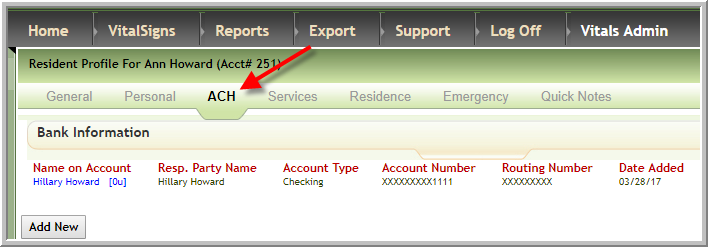
If your company is using that feature please read the article entitled How do I add ACH information in Vitals?
Enter ACH payments in the same manner that you enter other payments in Vitals; however, the check number should use this syntax ACH-MMDDYYYY so if the ACH payment was made on 7/1/2016 enter the ACH check number as ACH-07012016. This article will walk you through the steps:
- Search for resident in Post Payments/Adjustments
- Click Add Payment located to the right of the resident's name.

- Enter all the information in the pop-up as you normally would for a check; however, select Payment Type of ACH and enter Check Number in format ACH-mmddyyyy in the following example ACH-07012016.

Was this article helpful?
That’s Great!
Thank you for your feedback
Sorry! We couldn't be helpful
Thank you for your feedback
Feedback sent
We appreciate your effort and will try to fix the article