If you have access to delete payments, these are the step to follow:
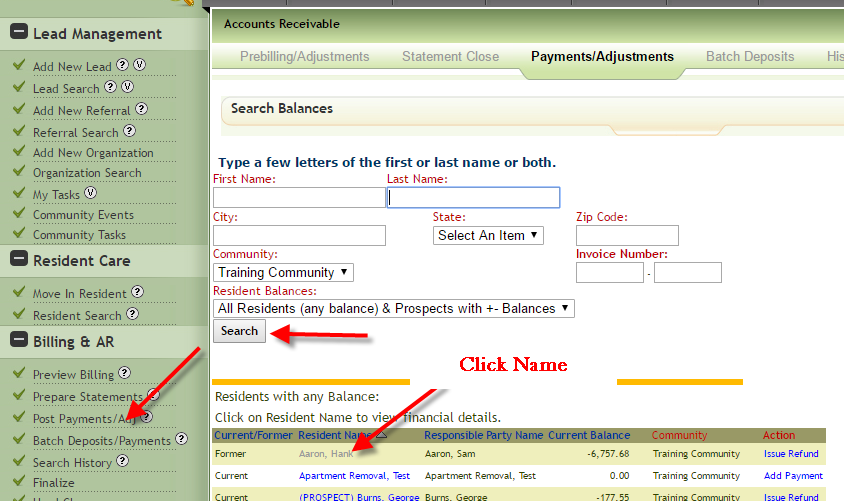
- Click Post Payments/Adj on left side of screen, search for resident or prospect, click name.
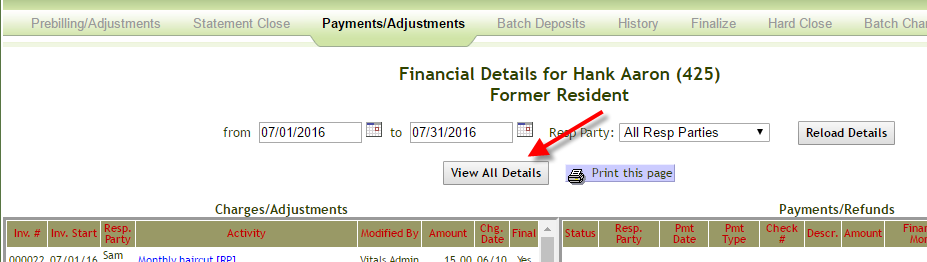
- If you cannot see the payment, click View Details
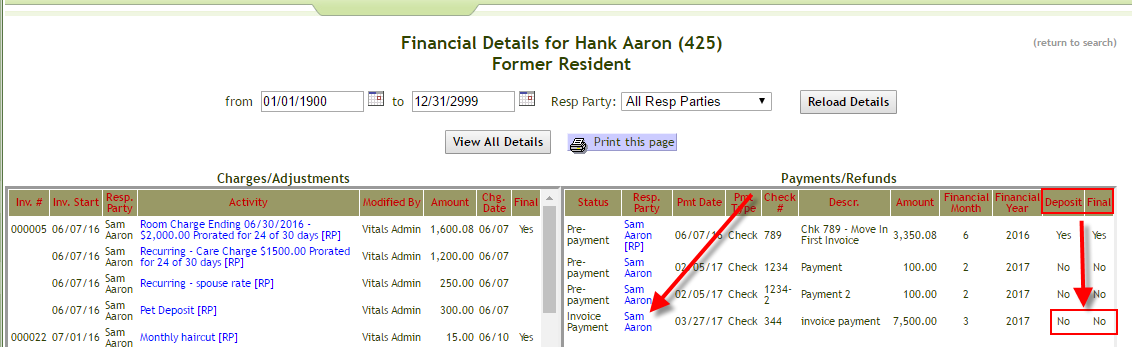
- If the payment has not been finalized or deposited, click the payment
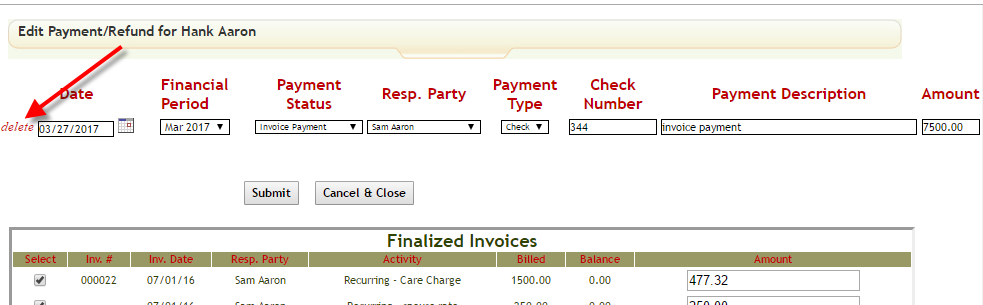
- Click Delete
Notes:
If the payment has been deposited use these directions to delete the deposit:
How do I delete a bank-deposit?
If the payment has been unfinalized use these directions to unfinalize the payment:
How do I unfinalize payments or invoices?
If the payment was in a hard closed payment you will need to create an adjustment using these directions:
How do I enter payments and adjustments?
Was this article helpful?
That’s Great!
Thank you for your feedback
Sorry! We couldn't be helpful
Thank you for your feedback
Feedback sent
We appreciate your effort and will try to fix the article