If Vitals and/or other websites stop working correctly clearing the browser that you use for Vitals may help. Follow the steps for the browser that you use.
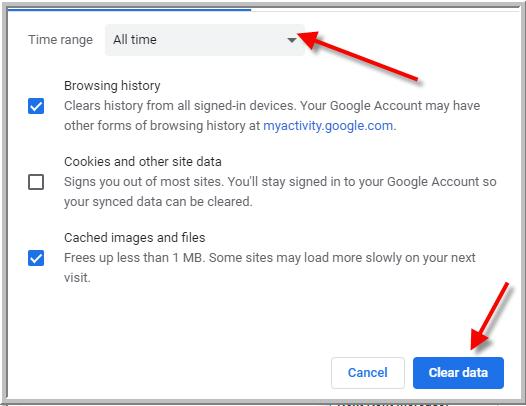
- Chrome
- 2nd step for Chrome
- Mozilla Firefox
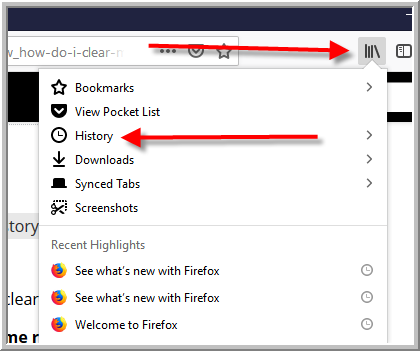
- 2nd step for Mozilla Firefox
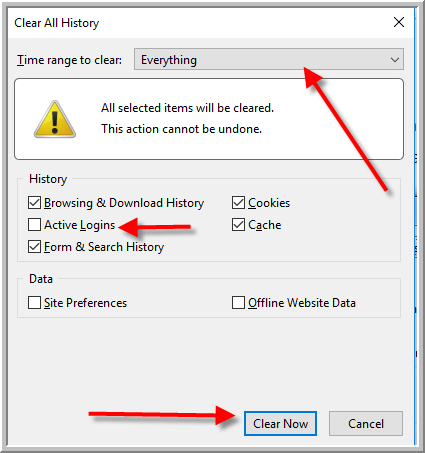
- Edge
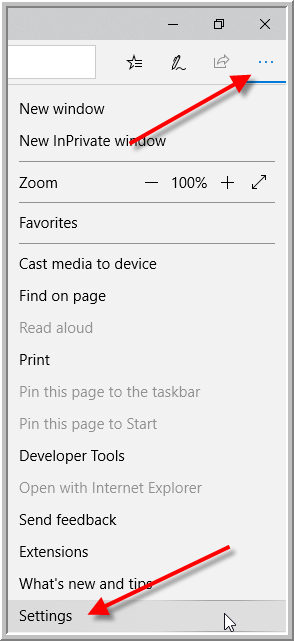
- Edge step 2
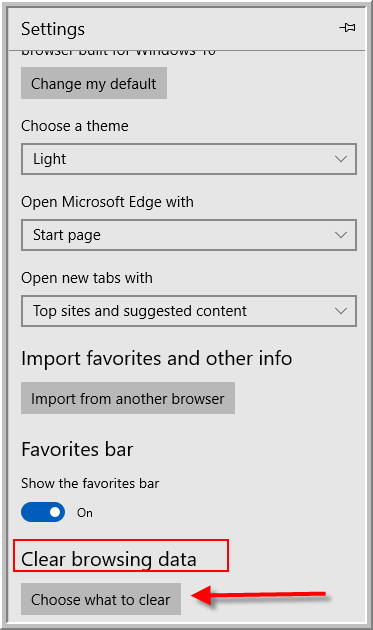
- Edge step 3
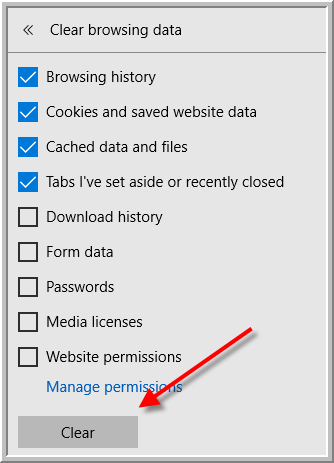
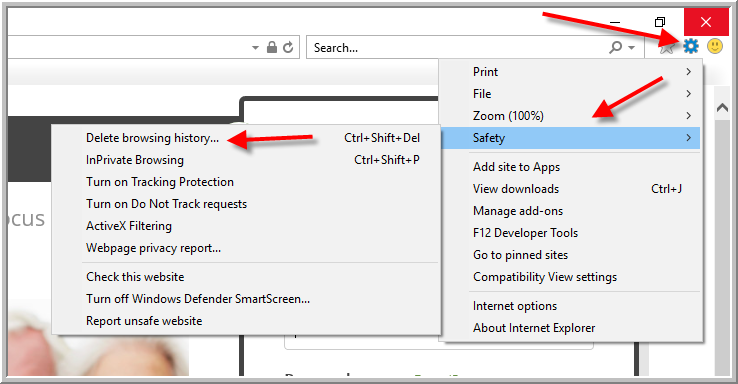
- Internet Explorer -Internet Explorer does not work does not work with Incident Reporting because Internet Explorer is not a modern browser. You must use a browser other than Internet Explorer for Incident reporting.
Was this article helpful?
That’s Great!
Thank you for your feedback
Sorry! We couldn't be helpful
Thank you for your feedback
Feedback sent
We appreciate your effort and will try to fix the article