If you need to change your password you can do so by following these directions:
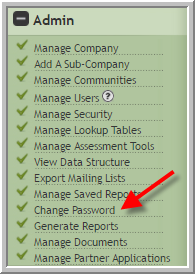
- Click Password
- Enter your new password in both fields, then click Change
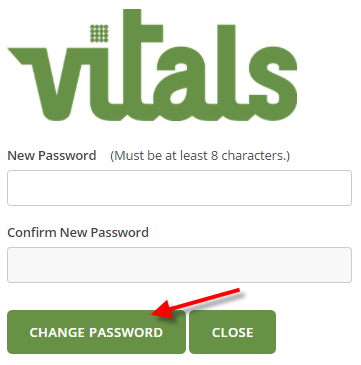
- Password must contain 8 characters
- At least one small & one capital alphabet,
- numeric digit and
- special character such as !,@,#,$,%
Was this article helpful?
That’s Great!
Thank you for your feedback
Sorry! We couldn't be helpful
Thank you for your feedback
Feedback sent
We appreciate your effort and will try to fix the article