You can complete multiple activities all at once in My Tasks by following these steps:
1. Click My Tasks
2. If you want to complete activities for everyone in the selection, click Check All, if you only want to complete activities for particular contacts click the checkbox adjacent to first person's name then hover mouse over other contact's checkboxes. Scroll to bottom of window click Perform Tasks.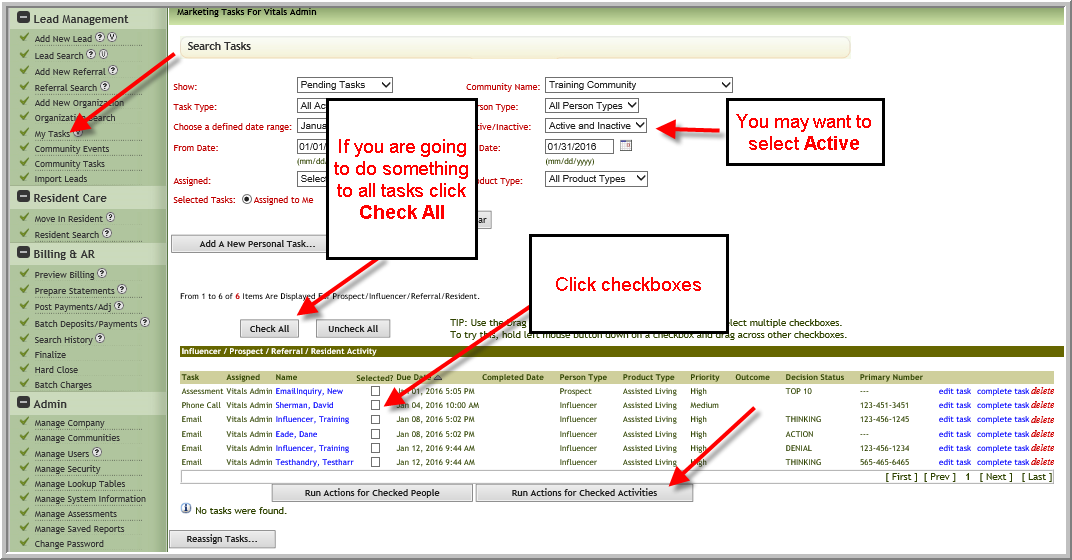 3. (Optional) Change date of completion, click Complete Activities
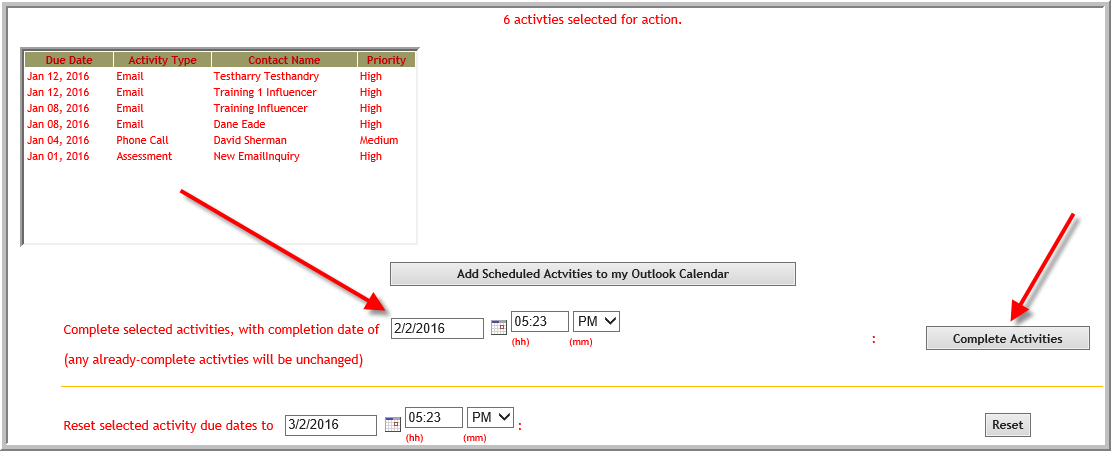 4. The top of the window will display Activities were completed successfully

Was this article helpful?
That’s Great!
Thank you for your feedback
Sorry! We couldn't be helpful
Thank you for your feedback
Feedback sent
We appreciate your effort and will try to fix the article