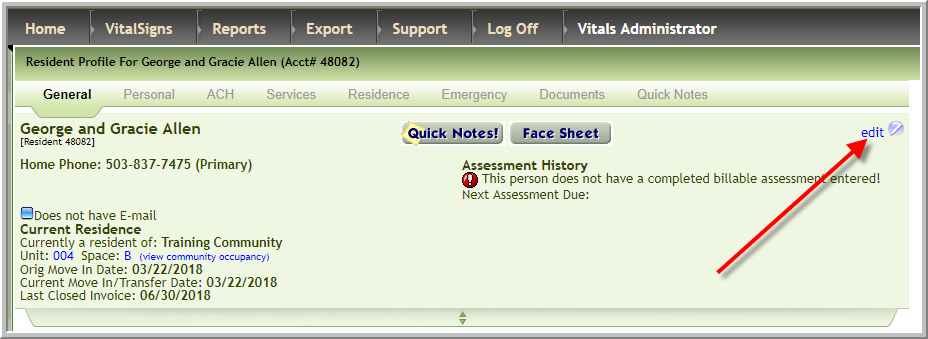
- Access the couple's profile. Click Edit in the upper right hand corner
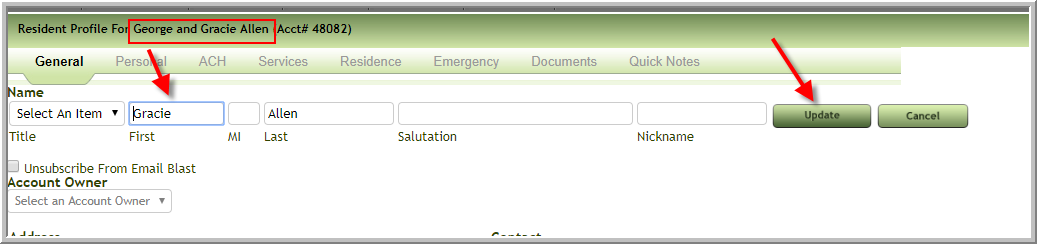
- Change the name on the profile to one person's name in the couple, click Update
- Follow the next steps if the profile is for a Prospect:
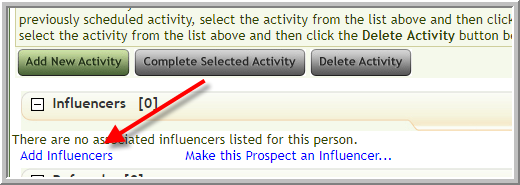
- If the couple's profile that has been converted to one prospect per the above add the other party in the couple as a new prospect. Wait to add influencer until after profile is created. Then click Add Influencer
- Click Click here to search...
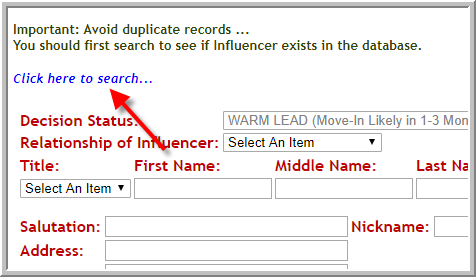
- Enter part of influencer's name, click Search, click influencer's name
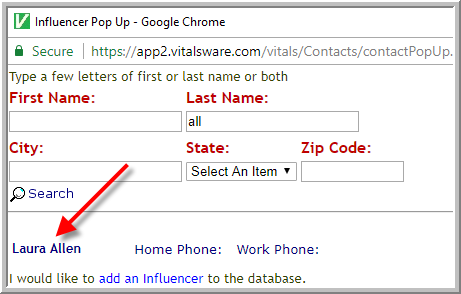
- If the couple's profile that has been converted to one prospect per the above add the other party in the couple as a new prospect. Wait to add influencer until after profile is created. Then click Add Influencer
- Add a new prospect for the spouse. If the couple had an influencer don't add to the profile because the influencer is inactive once a person is a resident.
Move the prospect into 2nd bed - If the influencer became a responsible party on the first resident profile...per 2 screenshots below
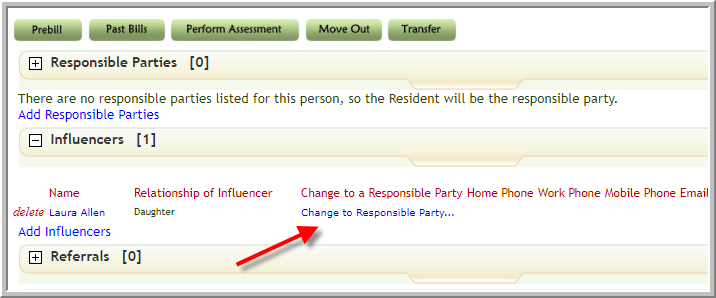
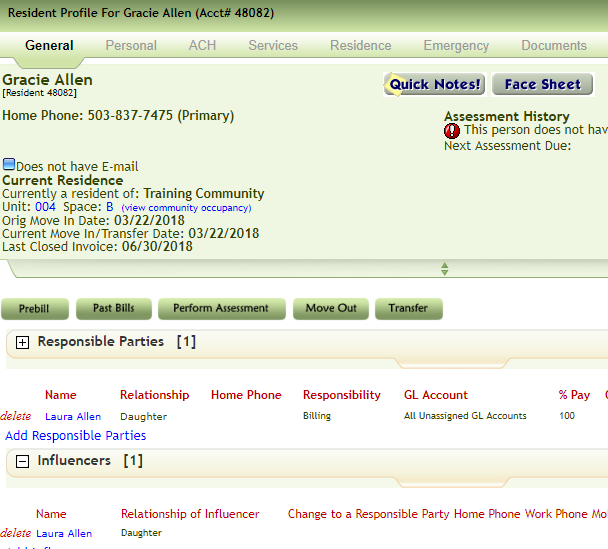
- Click Add Responsible Parties
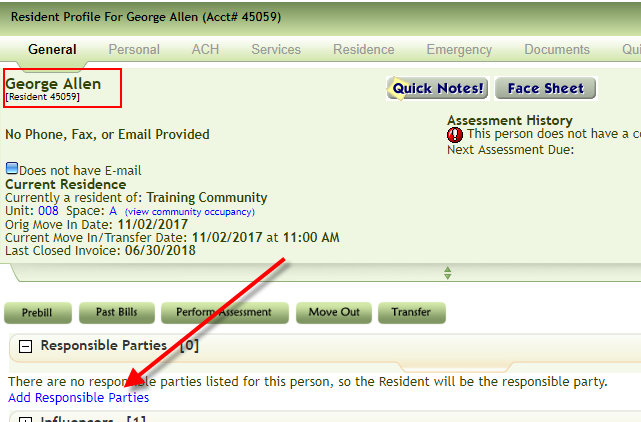
- Click Search here to search...
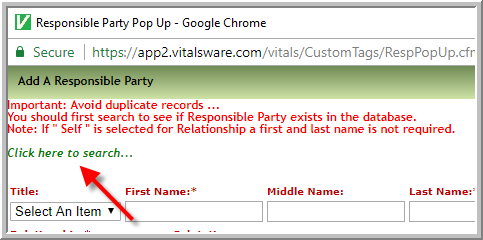
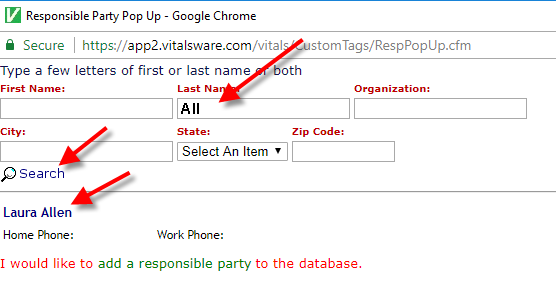
- Enter part of responsible party name , click search, click name.
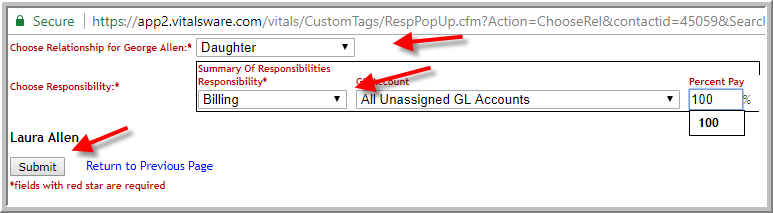
- Enter relationship and a responsibility click Submit
- If the responsible party is also an emergency contact click Add as Emergency Contact
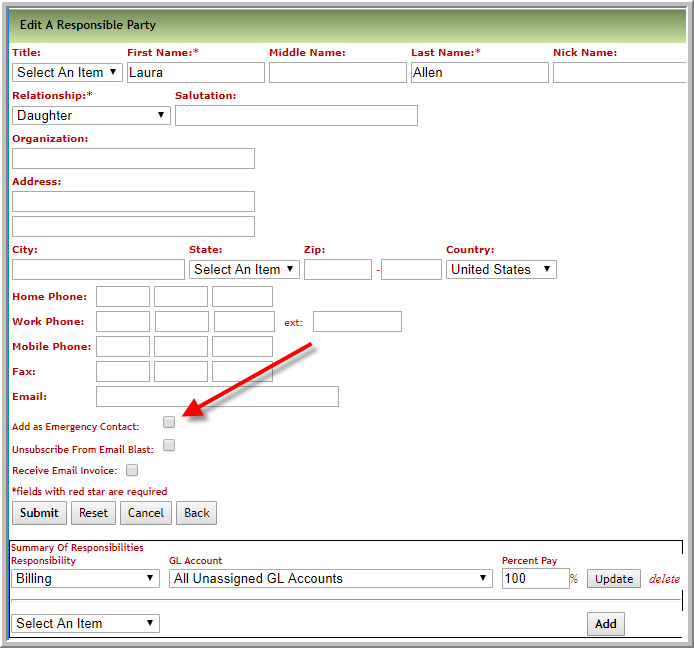
- Select another responsibility if applicable and click Add
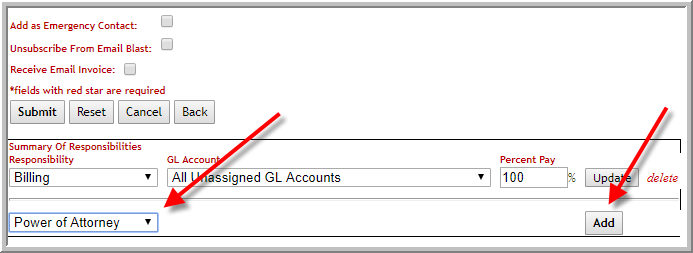
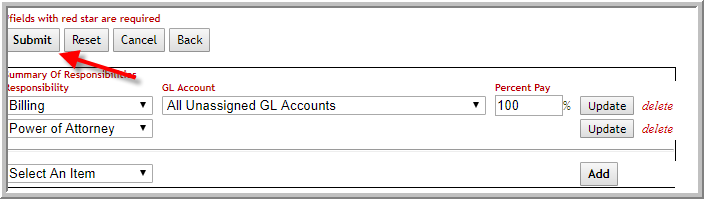
- Repeat step 11 if the responsible party has another responsibility. Once all the responsibilities have been added click Submit.
Was this article helpful?
That’s Great!
Thank you for your feedback
Sorry! We couldn't be helpful
Thank you for your feedback
Feedback sent
We appreciate your effort and will try to fix the article