If your company has various people that perform marketing activities and you need a way to allocate one employee as the person responsible for particular leads you can do so by assigning that person as an Account Owner.
VITALS ADMIN TASKS
First the Administrator at your company needs to work with these template ID's for the security roles. The following template ID's are involved:
- Template'5083' -shows/hides the 'Assign to New Account Owner' button on perform task page and on the lead profile
- Template '5084'- shows/hides - Account Owner field in Add New Lead, Add Prospect and Add influencer
- The Vitals Admin needs to indicate in user setup that the user can be an Account Owner by accessing user profile and then clicking Account Owners Group.
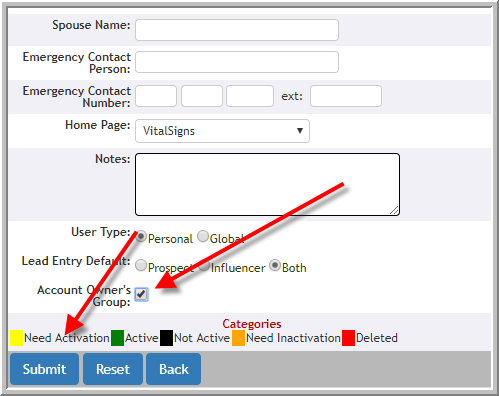
- Vitals Administrative users can reallocate Account Owners in user setup.
- When deactivating a user that is an Account Owner you will be prompted to reassign all accounts to another user.
However, if an account owner has accounts in multiple communities and those accounts need to be assigned to multiple parties you may wish to assign those tasks using Lead Search functionality as explained later in this article. In the meantime, if that user should not have access to Vitals you can change the email address and password to keep the user from accessing Vitals should you need to do.
Note: (Reassigning Account Ownership does not reassign activities. That must be done separately.)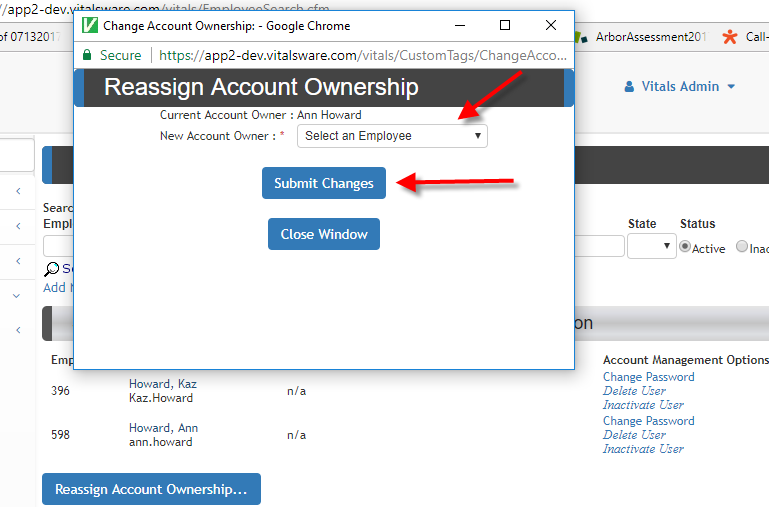
- As mentioned above, if the current account owner has accounts in various communities and the accounts are going to be assigned to multiple parties some users have access to make these changes by community in Lead Search. However, this is an alternative method to assign Account Ownership for a current employee. (Reassigning Account Ownership does not reassign activities. That must be done separately.)
The steps are:- Admin-->Manage Users-->Click Reassign Account Ownership
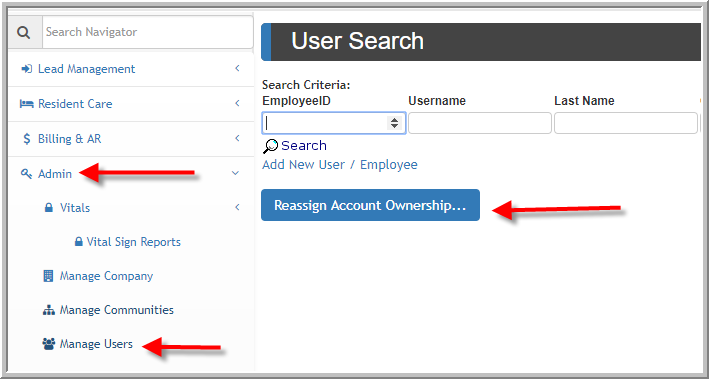
- Admin-->Manage Users-->Click Reassign Account Ownership
Add Account Owner to New Lead
If this feature is turned on at your company you will be able to add an Account Owner to a new lead when adding the lead to Vitals.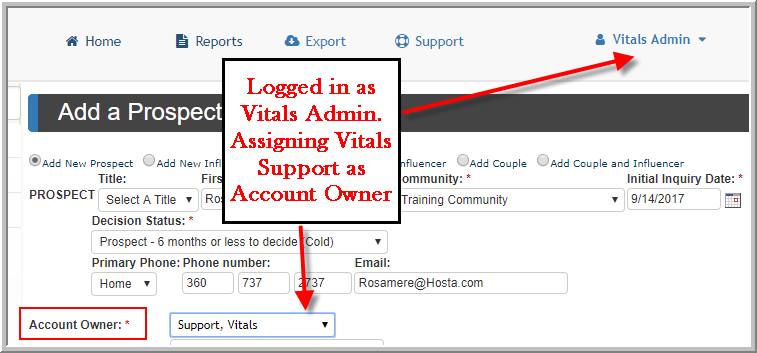
Reassign Account Owner
It is possible to reassign Account Owners, keep in mind when you reassign Account Owners you are not reassigning activities. If the Vitals Administrator for your company has given you access to reassign Account Owners these are the steps that you will need to follow:
Reassign A Lead to a New Account Owner
- Click Edit on prospect's profile
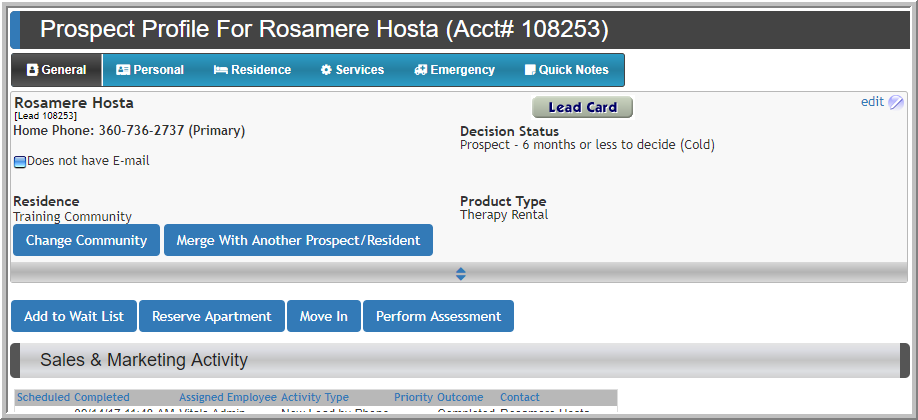
- If you have the security access you can click down arrow, select new Account Owner, click Update
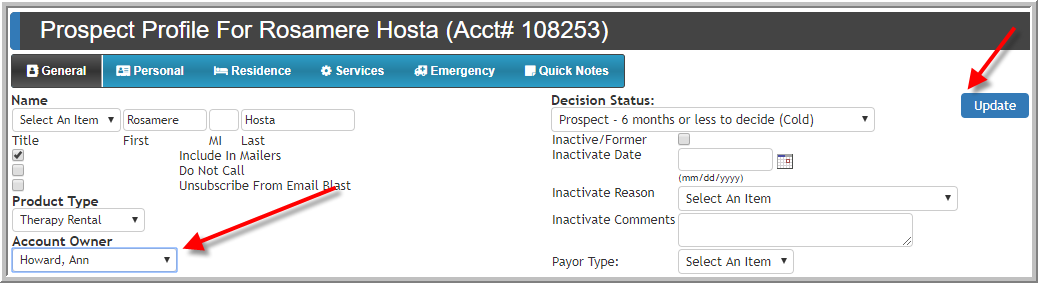 Note: If you do not have access to change account owners when you click down arrow nothing will happen.
Reassign Multiple Leads to an Account Owner
If an employee is leaving the company or the workload needs to be redistributed for some reason this can be done for multiple leads following these steps, provided your access allows:
Account Owner that Needs to be reassigned community by community
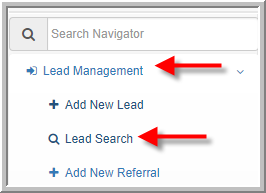
- Click Lead Search
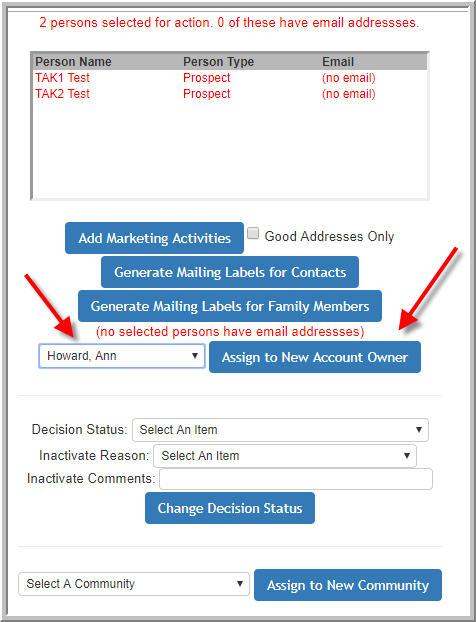
- Select a community if the previous Account Owner had access to multiple buildings you might need to do this community by community if you are reassigning to multiple users.Select the current Account Owner. Select the leads that need the new account owner. Scroll down click Perform Tasks.
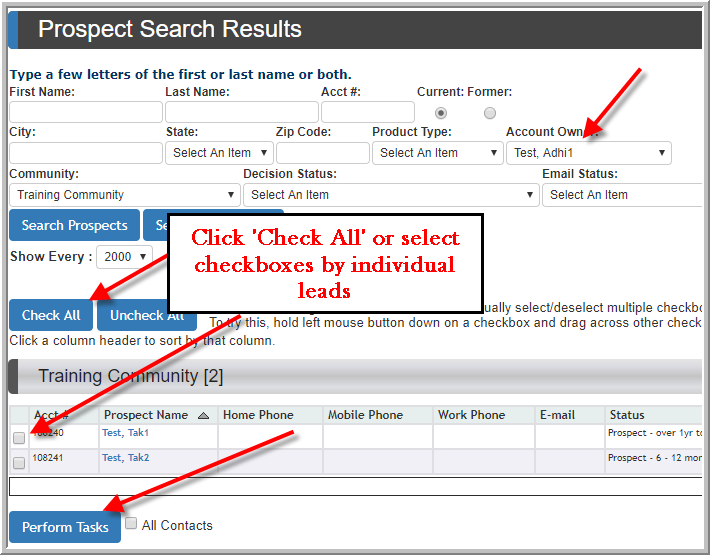
- Select the new Account Owner, click Assign to New Account Owner.
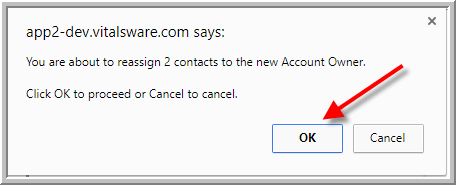
- Click OK
Was this article helpful?
That’s Great!
Thank you for your feedback
Sorry! We couldn't be helpful
Thank you for your feedback
Feedback sent
We appreciate your effort and will try to fix the article