In order to add a new user, you must have the appropriate security privileges set on your account. New users also need to configure their browser for Vitals. (Note: If your company has our legacy Crystal Reports please configure internet explorer using these directions: Configure Internet Explorer for Vitals and Crystal Reports)
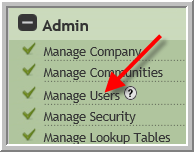
- Click Manage Users
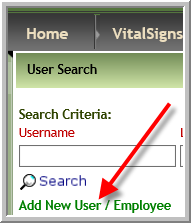
- Add New User
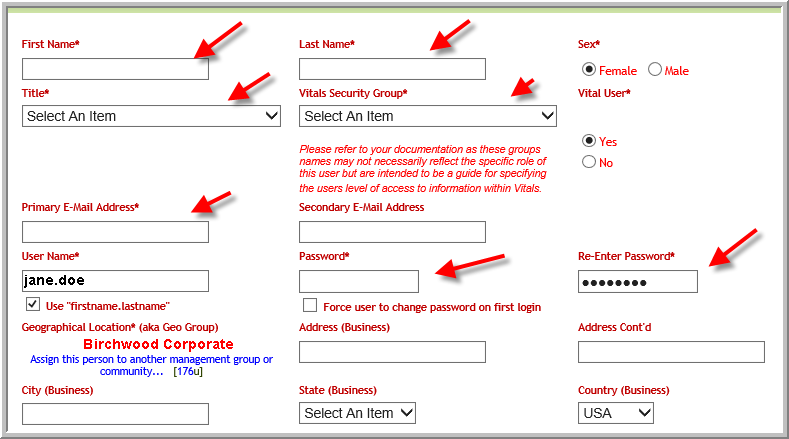
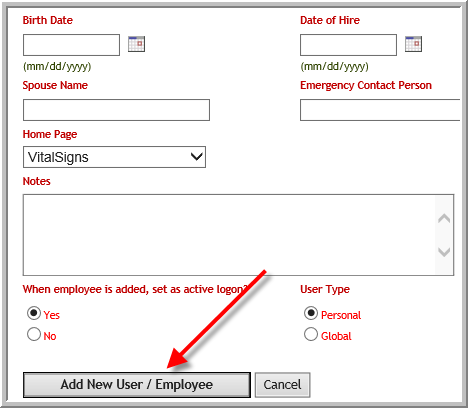
- The items in screenshot below are required fields…as long as you have completed these fields in following screenshot you will be able to click Add New User/Employee as shown in the last screenshot.
- New as of 6/16/2017 Password requirements have changed
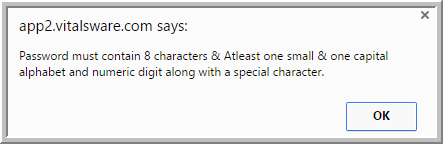
- New as of 6/16/2017 Password requirements have changed
- NEW as of 3/2017- When adding a new user that will be adding leads to Vitals you may want to configure their 'Lead Entry Default' screen for the option that works for them most frequently. Users are defaulted to 'Add Prospect and Add Influencer' radio button.

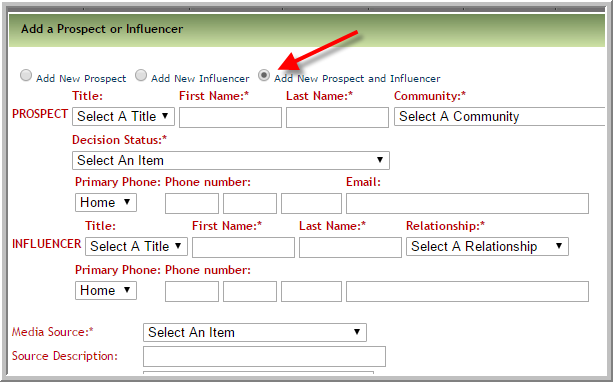 It is possible to default to adding just a new influencer but the most frequently used options are 'Add Prospect and Add Influencer' or 'Add Prospect'. Users who work at Independent Living only communities may prefer to have the default button set to 'Add Prospect'. However, any of the options can be selected per user.
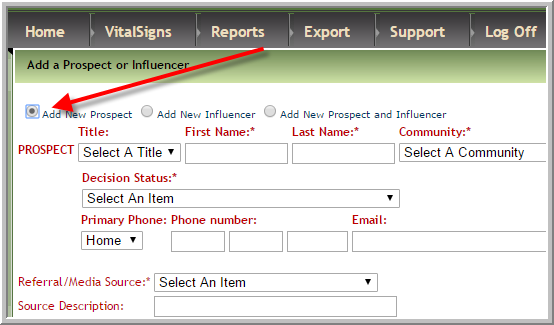 Note: It does not matter which button is set to default the user can select any button they need to when adding a lead. However, if they frequently only need to add a Prospect it will be more convenient if that is the default.
 - New Feature as of 09/19/2017 -if you have several people in your communities that are responsible for marketing you can assign one person to be the 'Account Owner' for each lead. Several people may perform activities on that account or lead but the Account Owner is the main party for converting that lead to a resident. If your company is using this feature and the new user is going to be an Account Owner click Account Owner's Group typically marketing people are the only ones that would need this designation. If you are not sure whether your company needs Account Owner's check with a subject matter expert at your company. (You can edit existing users and add them to Account Owner's Group.)
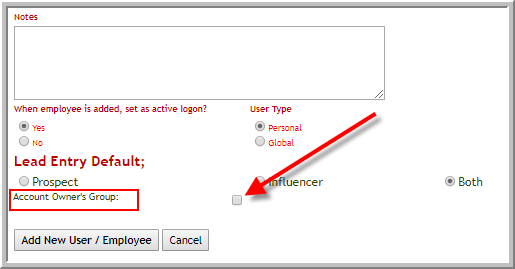
Note: The security groups that need to see this information when editing prospect profiles need template 5083 turned on by Vitals Administrator. Show/Hide account owners in other areas of Vitals is turned on for each security group that needs it by using template 5084. - Scroll to the bottom after you have entered the required and useful information. Click Add New User/Employee.
Was this article helpful?
That’s Great!
Thank you for your feedback
Sorry! We couldn't be helpful
Thank you for your feedback
Feedback sent
We appreciate your effort and will try to fix the article