Typically the Vitals Administrator at your company is responsible for adding and maintaining Vitals users. This document presumes you have the access to Add New Users and that you know how to add new users. If you need additional information please read this Knowledge Base Article Add New User To Vitals
Sometimes a user will start working at another community or will need have access to a region or the entire company. When that happens here are the steps to change the access for the user:
1. Search for the user
2. Click the user name
3. Click Assign this person to another management group or community....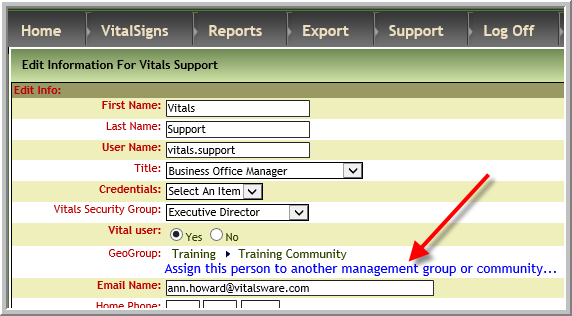
4. Click the correct Geographic Group
Was this article helpful?
That’s Great!
Thank you for your feedback
Sorry! We couldn't be helpful
Thank you for your feedback
Feedback sent
We appreciate your effort and will try to fix the article