If you do not have the access to change the community associated with a prospect please ask your Vitals Administrator to change the community.
The steps to change the prospect's community are:
1. Access prospect profile.
2. Click Change Community, select community, click Submit Changes.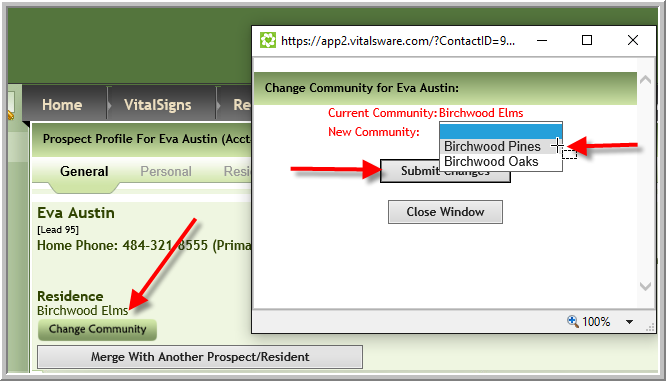
Was this article helpful?
That’s Great!
Thank you for your feedback
Sorry! We couldn't be helpful
Thank you for your feedback
Feedback sent
We appreciate your effort and will try to fix the article