There are a variety of reasons you may have activities that were scheduled long ago that you no longer need to complete. In this case, we are completing activities for inactive leads. Please adapt the instructions to the situation that applies to your situation.
- Access My Tasks
- Select the tasks that you need to complete. (In this case, selecting all pending tasks for inactive people)
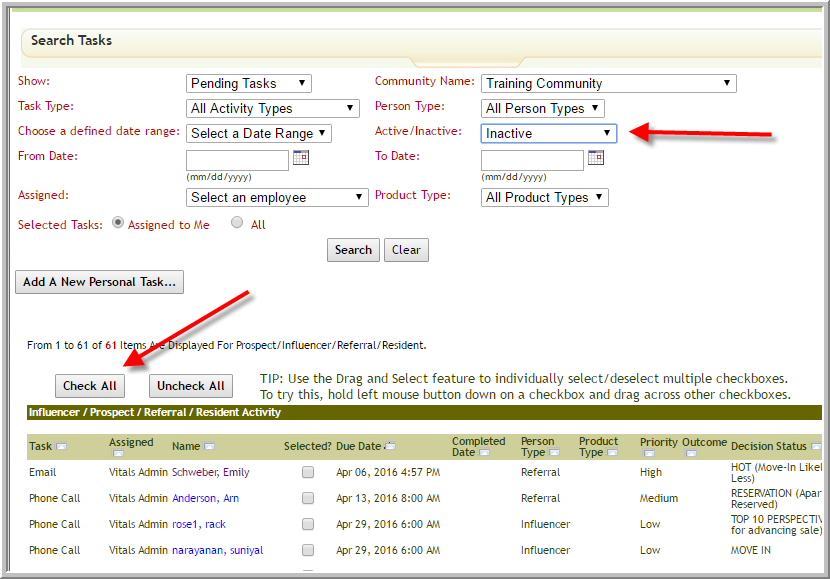
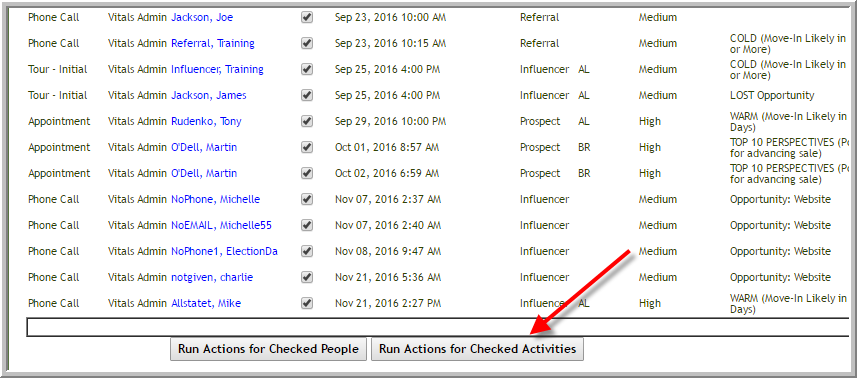
Note: Click Check All or select check box adjacent to each activity you want to complete - Click Run Actions for Checked Activities
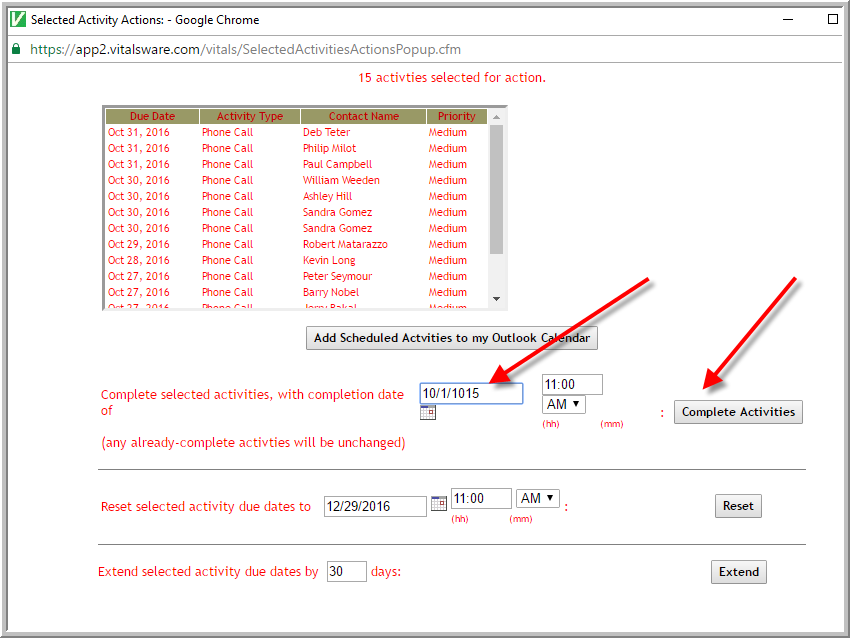
- Enter the date that you want to use for completing all the activities. (You might check with the marketing expert at your company...if you are doing a cleanup should you use a date long ago? ...or should you use today's date?) Click Complete Activities
Was this article helpful?
That’s Great!
Thank you for your feedback
Sorry! We couldn't be helpful
Thank you for your feedback
Feedback sent
We appreciate your effort and will try to fix the article