This article explains how to schedule or complete activities for multiple leads using Lead Search . However, the same concepts apply for various actions in My Tasks and Referral Search.
Note: When completing activities for previously scheduled activities use My Tasks.
1 Click Lead Search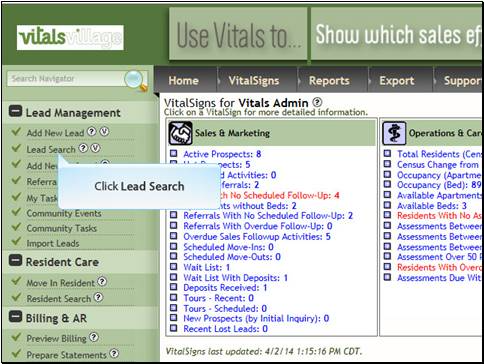
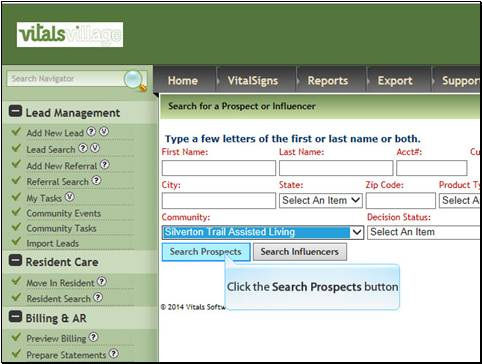
2 Click Search Prospects (or Search Influencers depending upon which contact type you want to use.)
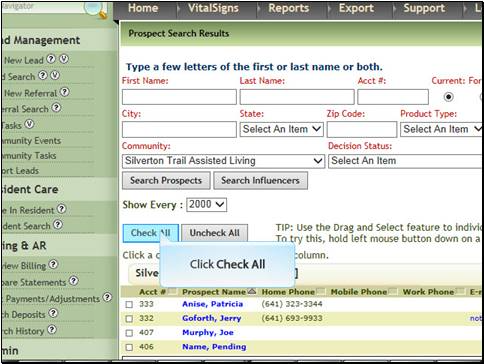
3 If appropriate click Check All
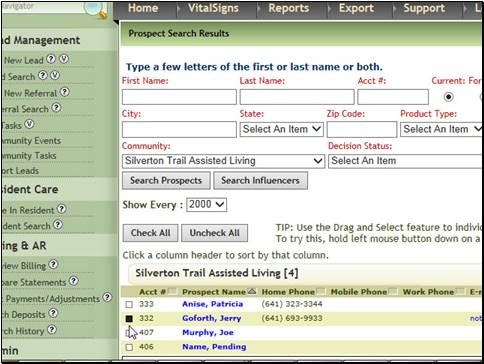
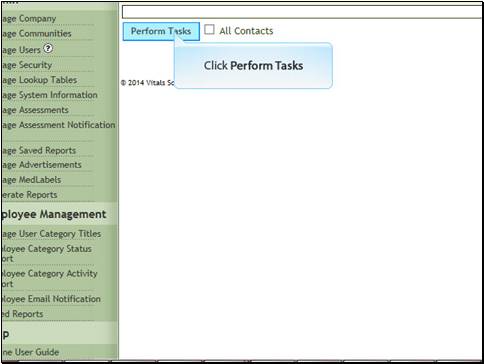
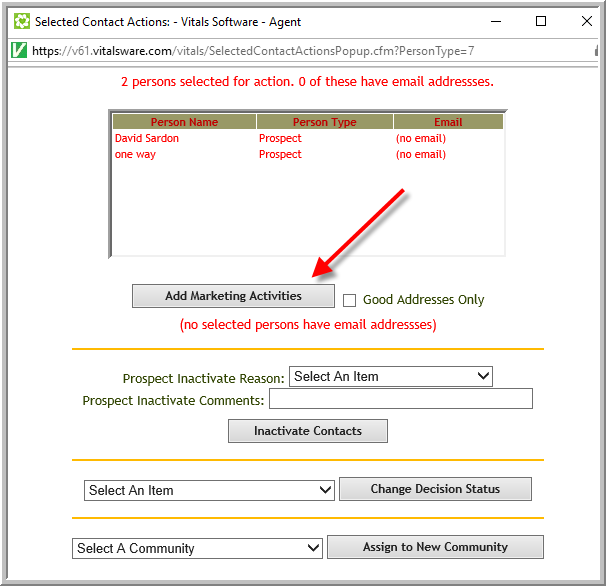
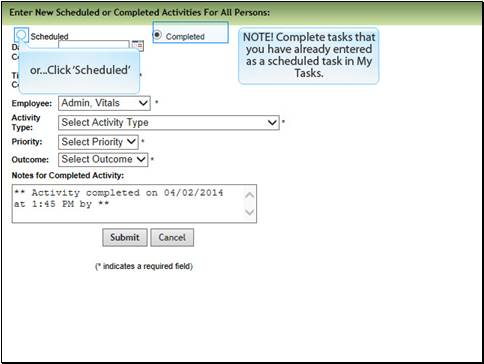
Recommendation: Click My Tasks select some leads then scroll to the bottom of the screen and click Run Actions for Checked People or Run Actions for Checked Activities to see the different actions you can do for multiple parties. (For example when clicking Run Actions for Checked Activities it is possible to complete the selected activities or change their due dates.)

Was this article helpful?
That’s Great!
Thank you for your feedback
Sorry! We couldn't be helpful
Thank you for your feedback
Feedback sent
We appreciate your effort and will try to fix the article