To record an activity for many referrals:
1. Click 'Referral Search'
2. Click 'Search Referrals' to bring up all of your referral contacts
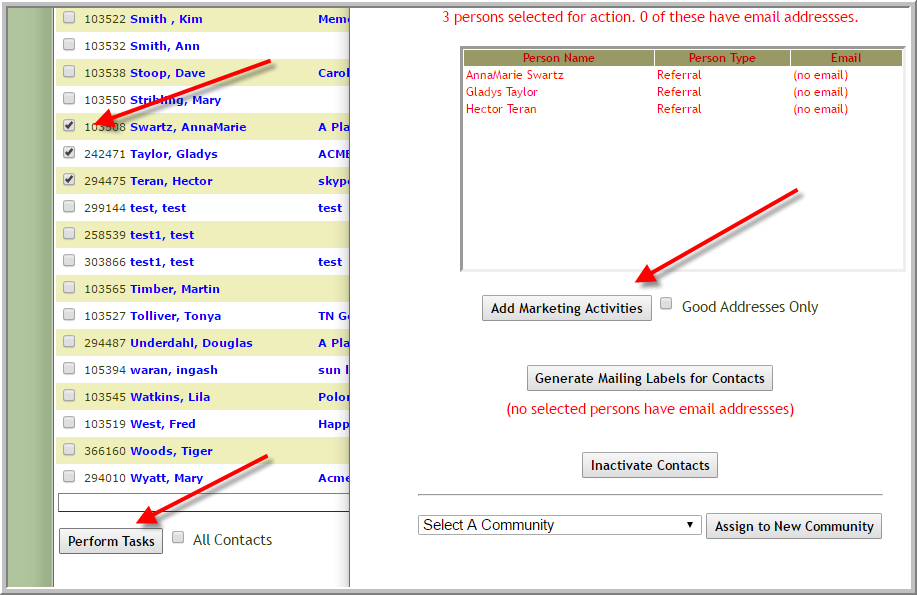
3. Click each referral that attended event (After you click the first one you can hover your mouse over the other referrals to select them)
4. Scroll to the bottom of the screen, click 'Perform Tasks'
5. Click 'Add Marketing Activities' (enter information for completed activity or scheduled activity just as you would for any other activity. Be sure to click correct radio button 'Scheduled' or 'Completed'.)
Was this article helpful?
That’s Great!
Thank you for your feedback
Sorry! We couldn't be helpful
Thank you for your feedback
Feedback sent
We appreciate your effort and will try to fix the article