If you do not have the rights to delete a deposit please refer to your Vitals Administrator.
To delete a bank deposit:
1. Click Search History, Click Search by Deposit Date (or Search by Name)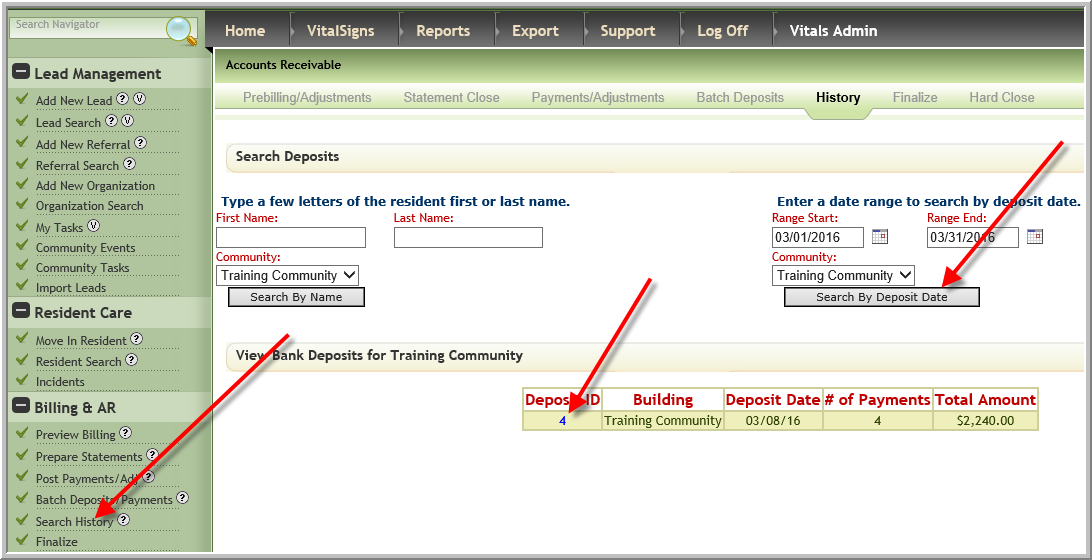
2. Click Delete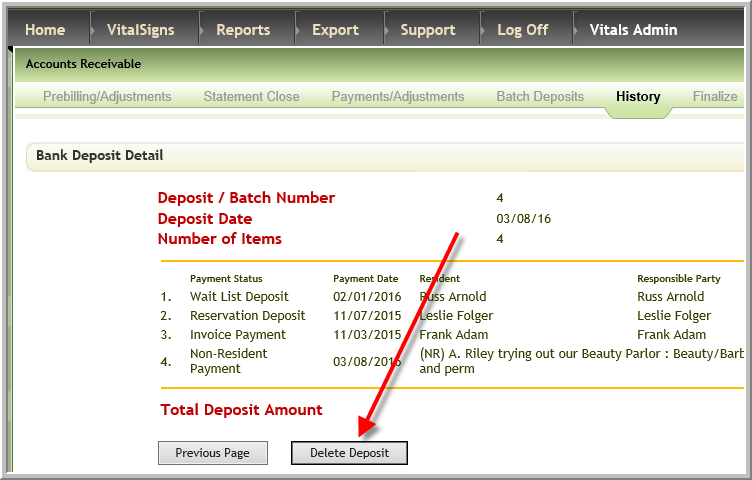
Note: You can only delete deposits in open financial period and all payments in deposit must be unfinalized before you can delete deposit
Was this article helpful?
That’s Great!
Thank you for your feedback
Sorry! We couldn't be helpful
Thank you for your feedback
Feedback sent
We appreciate your effort and will try to fix the article