1. In this example, we will first enter the February invoice payment for resident Clint Eastwood which will get his account to $0.00 balance. We see an unfinalized invoice for February which means we must enter the February Payment as Prepayment.
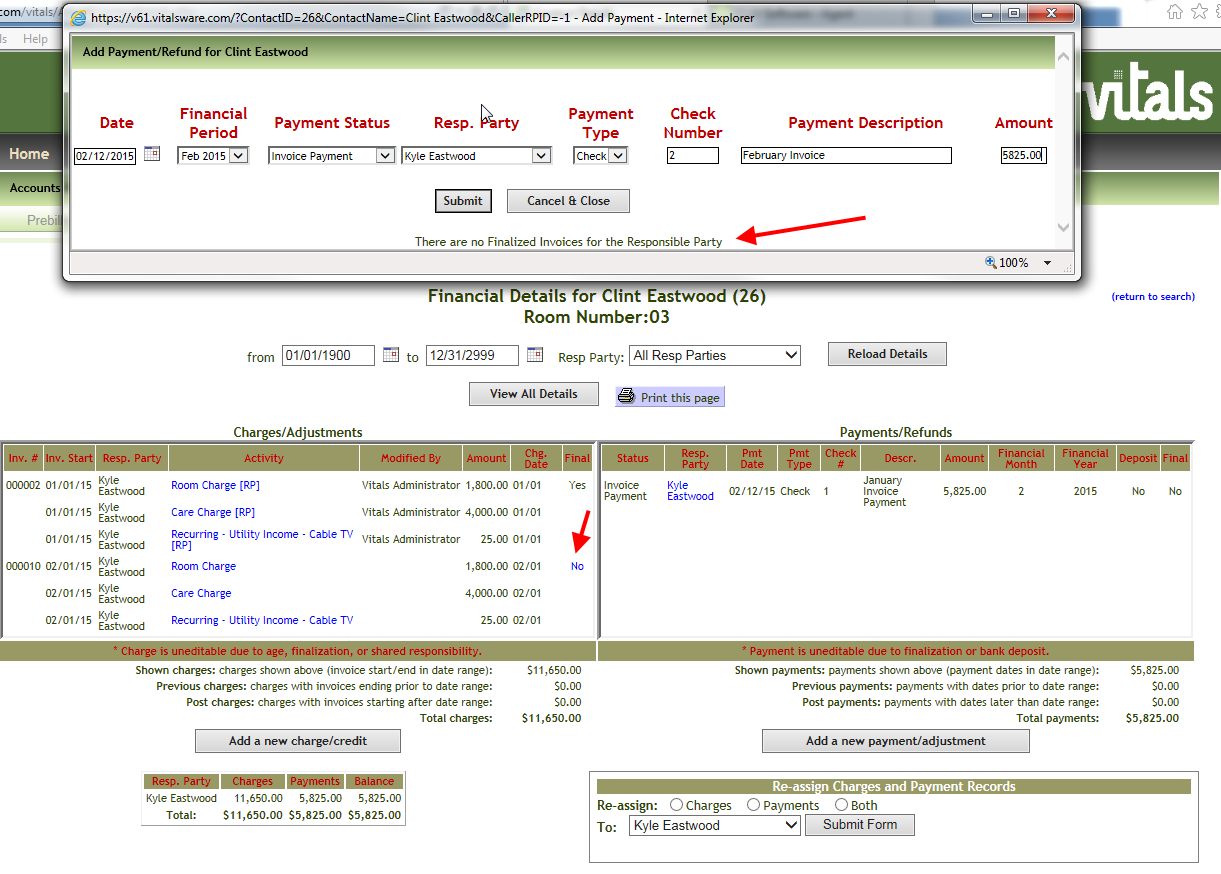
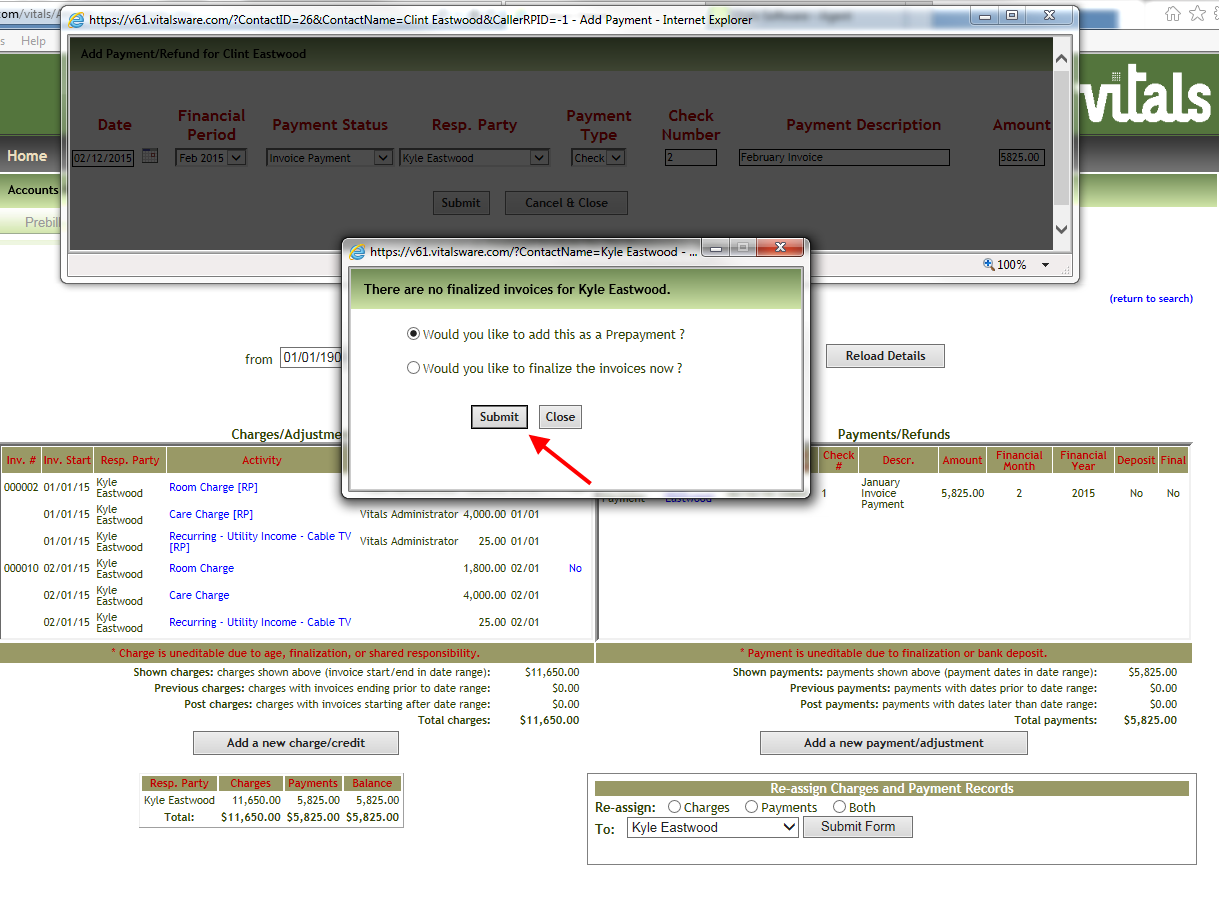
2. When we click the Submit button Vitals confirms that we would like to enter as a Prepayment. This means Vitals will not do the Payment/Invoice tie up until we Finalize at a later time.
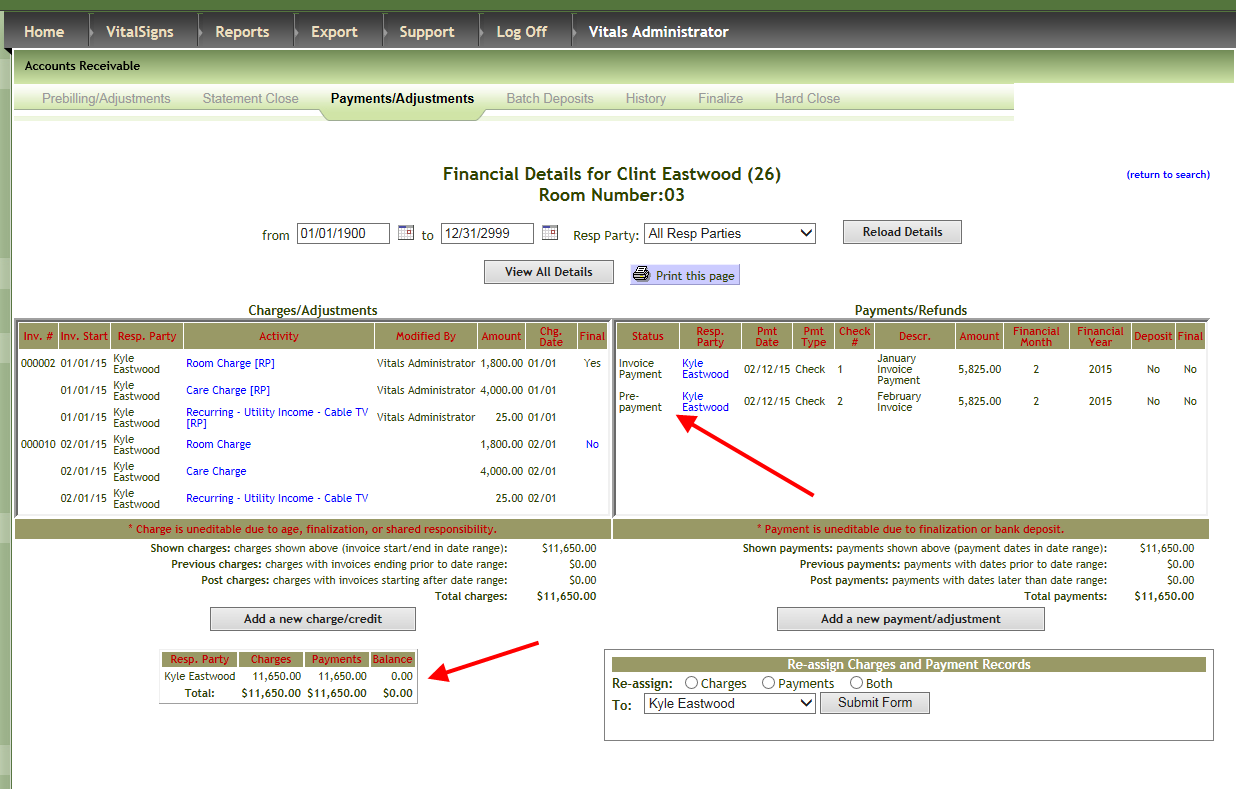
3. The Prepayment Transaction is complete. This is reflected in the overall balance.
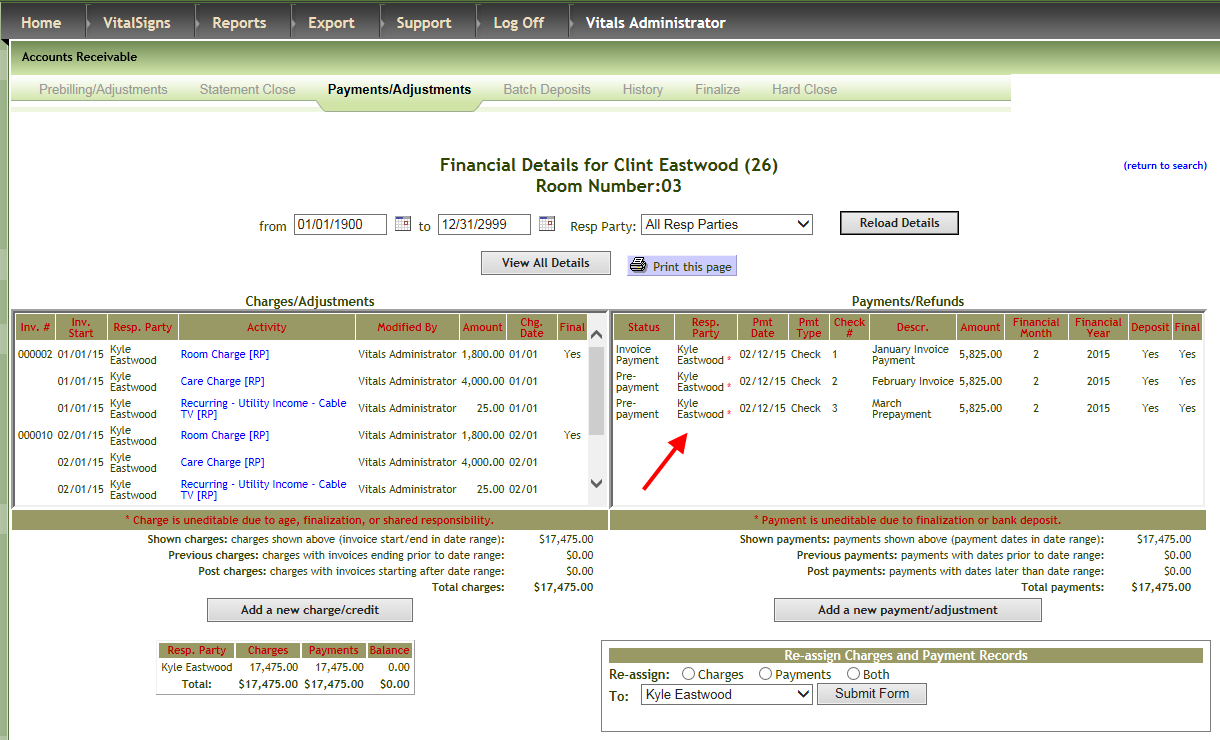
4. Now we are going to enter a Prepayment for the Month of March using a February date.
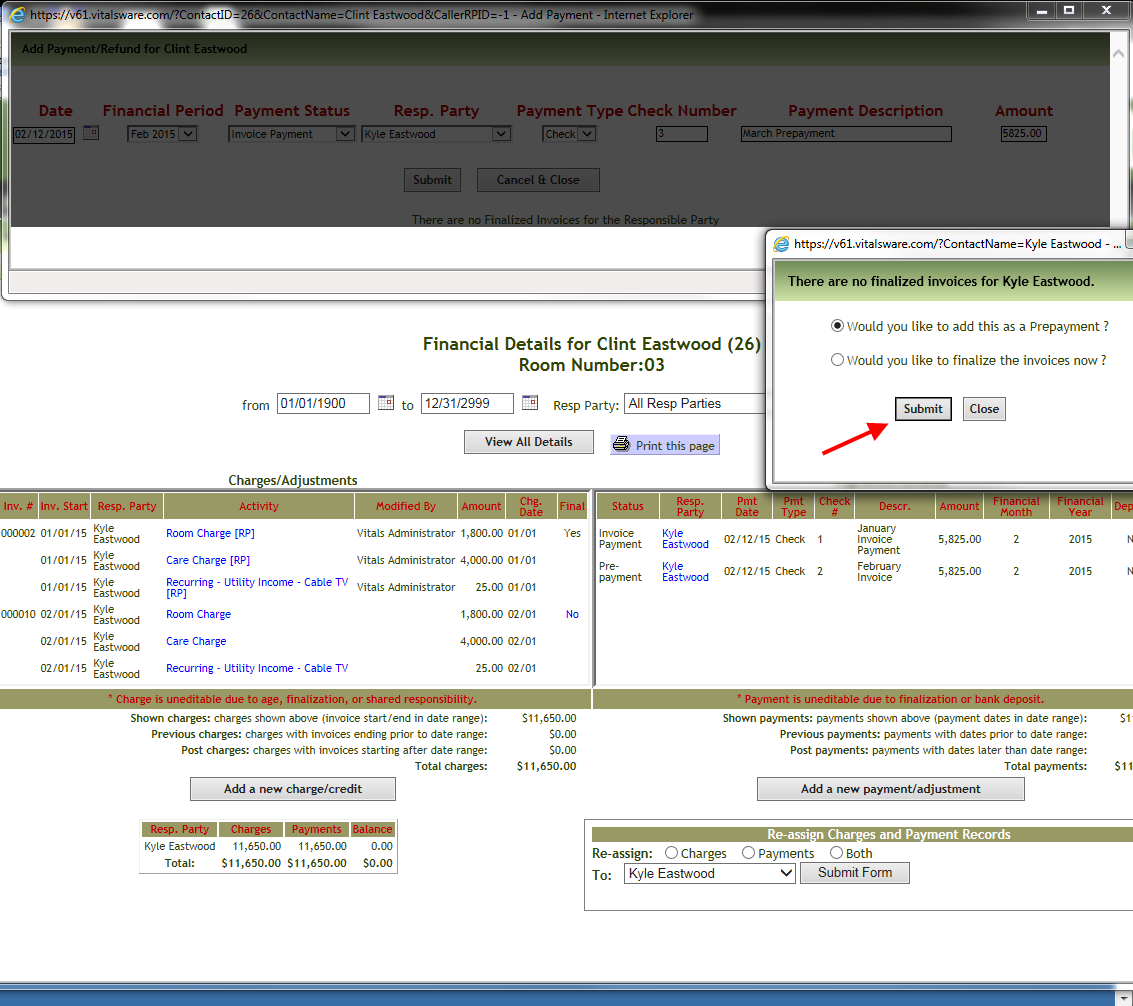
5. Vitals now shows a credit balance due to the Prepayment for March.
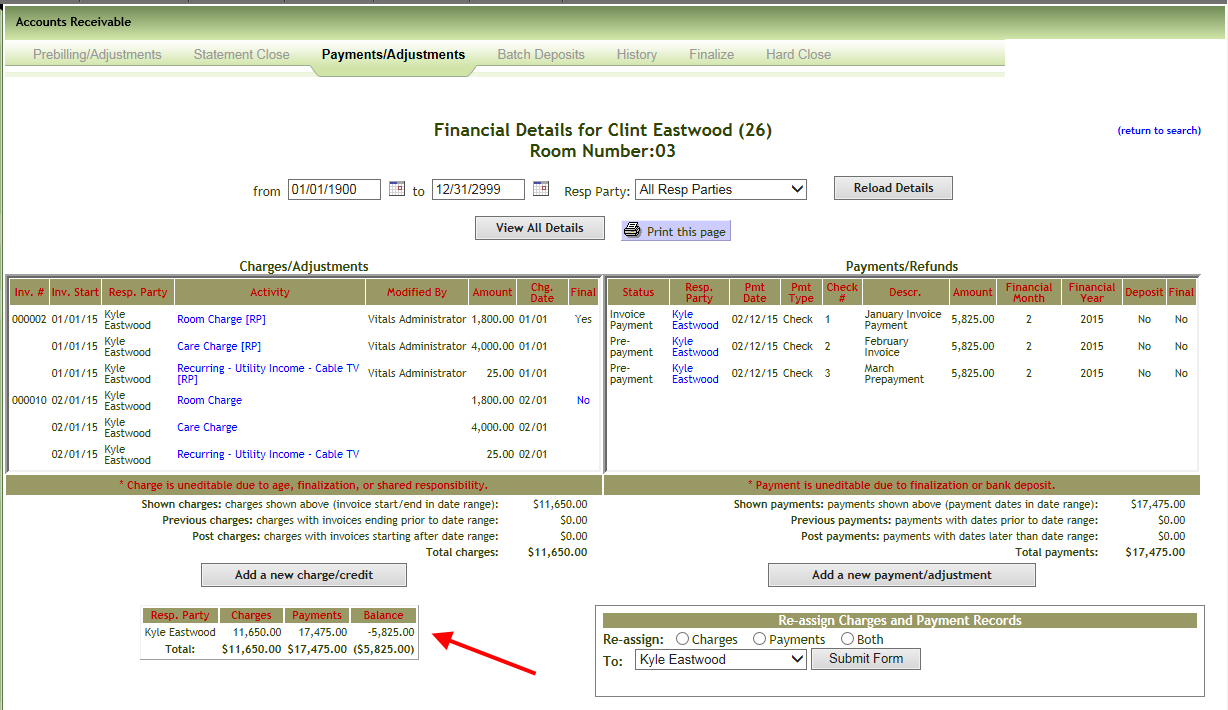
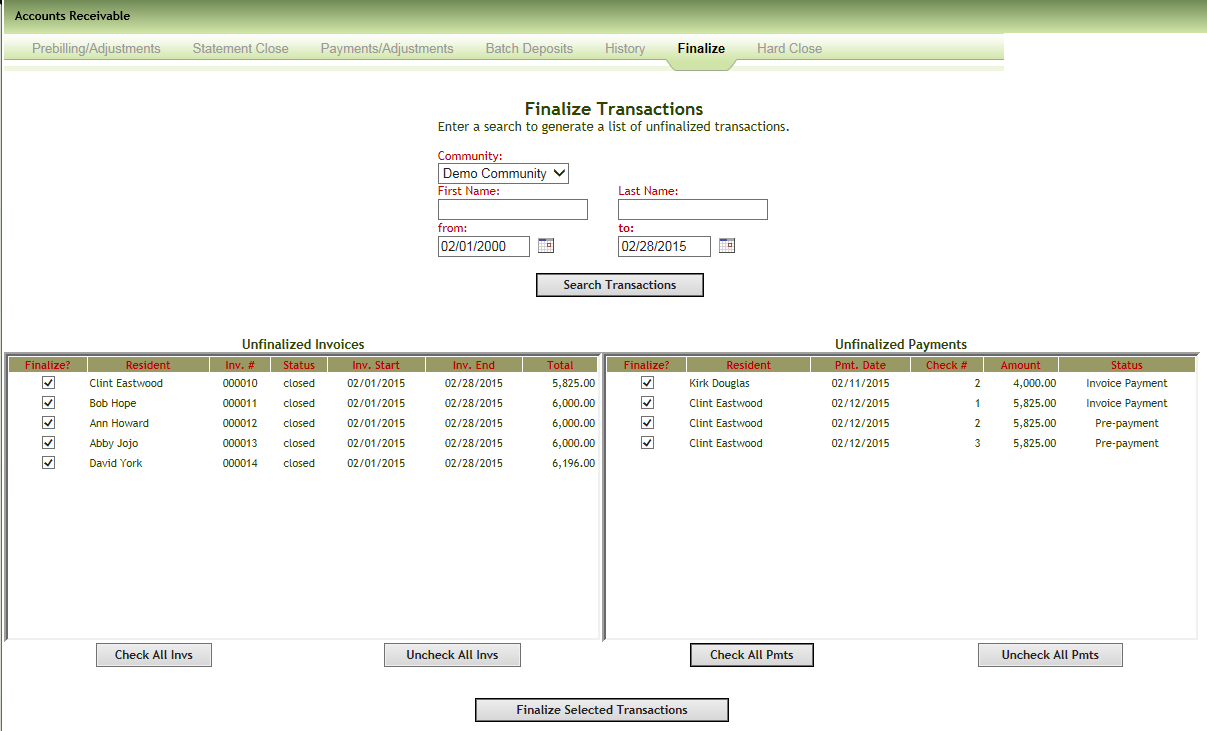
6. We will now Finalize and Hard Close the month of February. The act of Finalization will automatically tie the February payment to the February invoice behind the scenes.
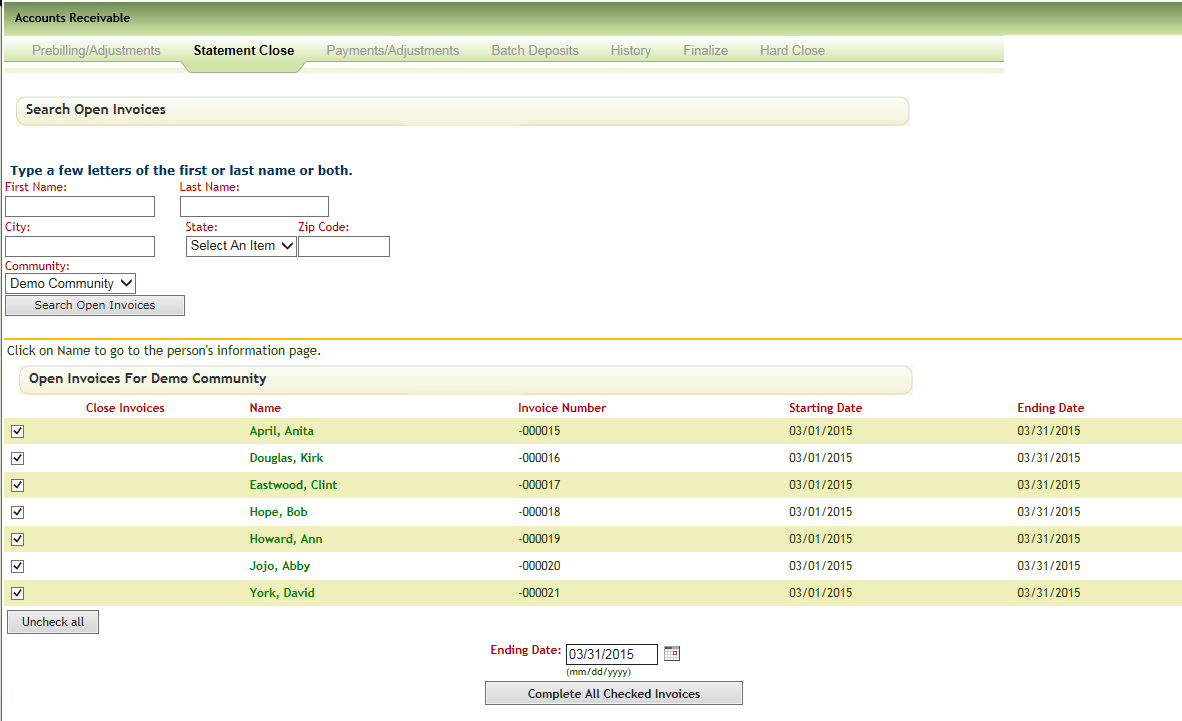
7. Now we will complete our March statements.
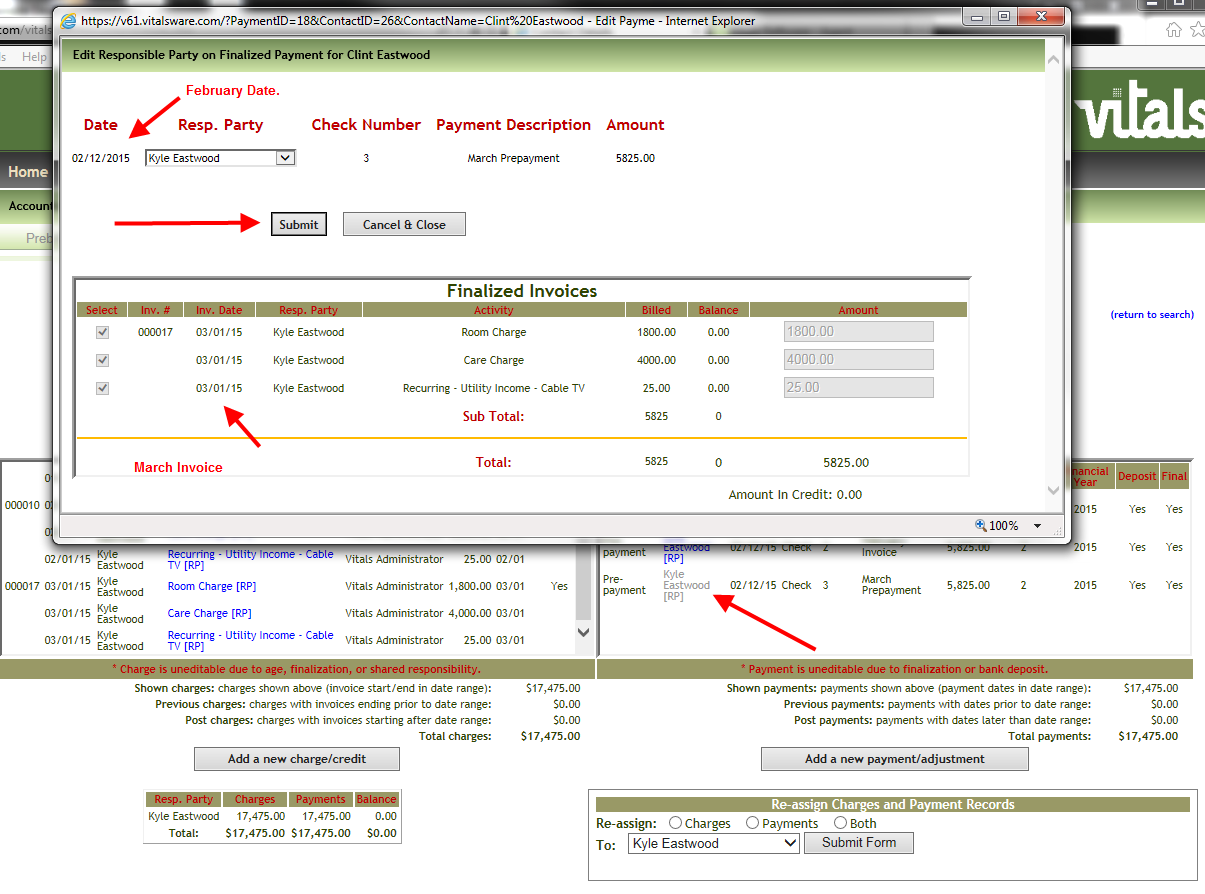
8. The act of completing the March statements gets us to a $0.00 balance. For illustrative purposes we are now going to manually Finalize the March invoice. We will then take the March Prepayment with a February date and “tie” this payment to March invoice. In Post Payments we will click the link for Finalization labeled “No”and confirm that we want to finalize this invoice by clicking OK.
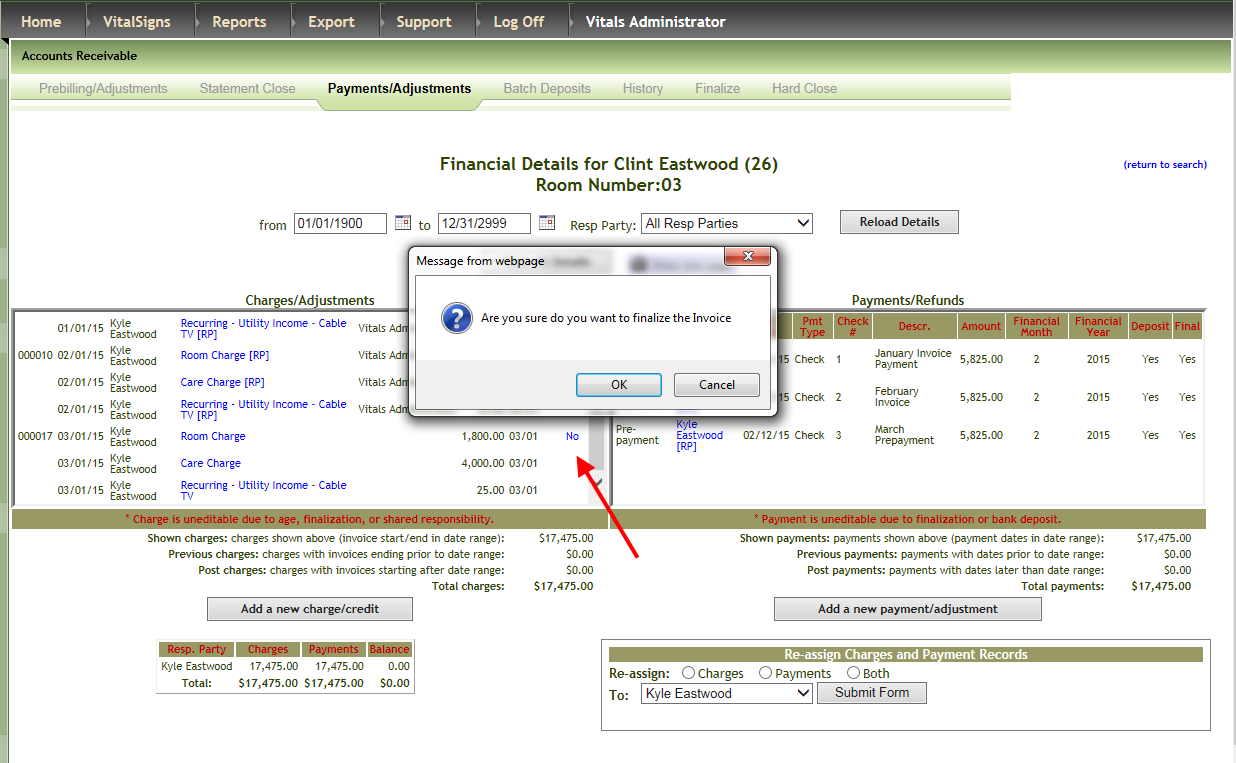
9. We then click the Responsible Party link to produce the Payment window for the prepayment. Note that the built in intelligence of Vitals realizes that this March prepayment goes with the March invoice. Even though it was entered with February date.
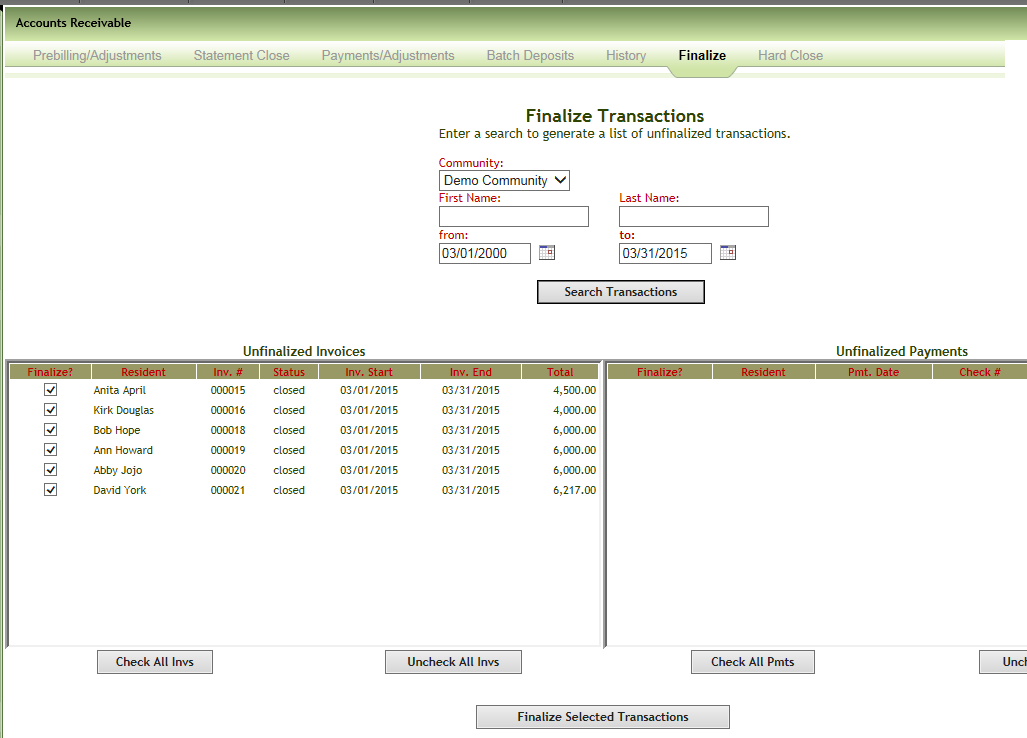
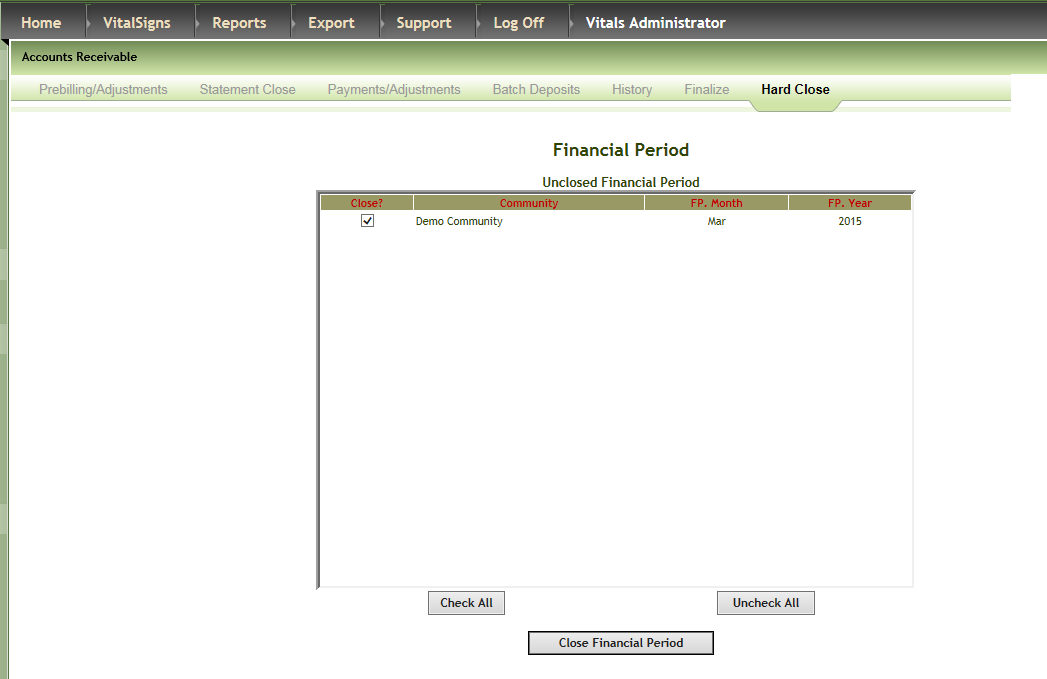
11. I am now going to finalize and hard close the March period.
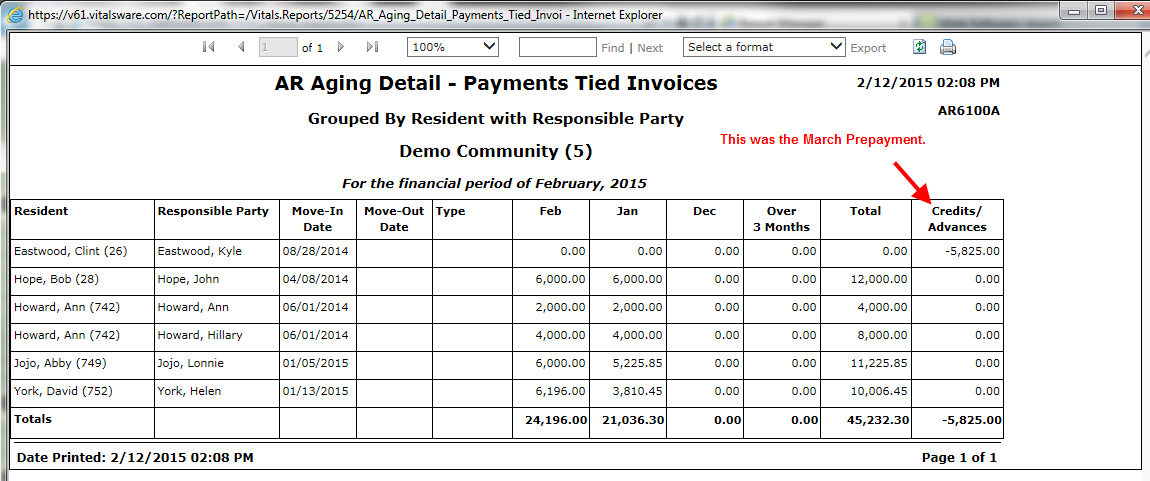
12. Now let’s run two AR Aging Reports that will illustrate the Payments/Invoices tie out. We first run the February 2015 report. You will recall that we added a March Prepayment dated 2/12/2015. This would explain the amount in the credit balance problem.
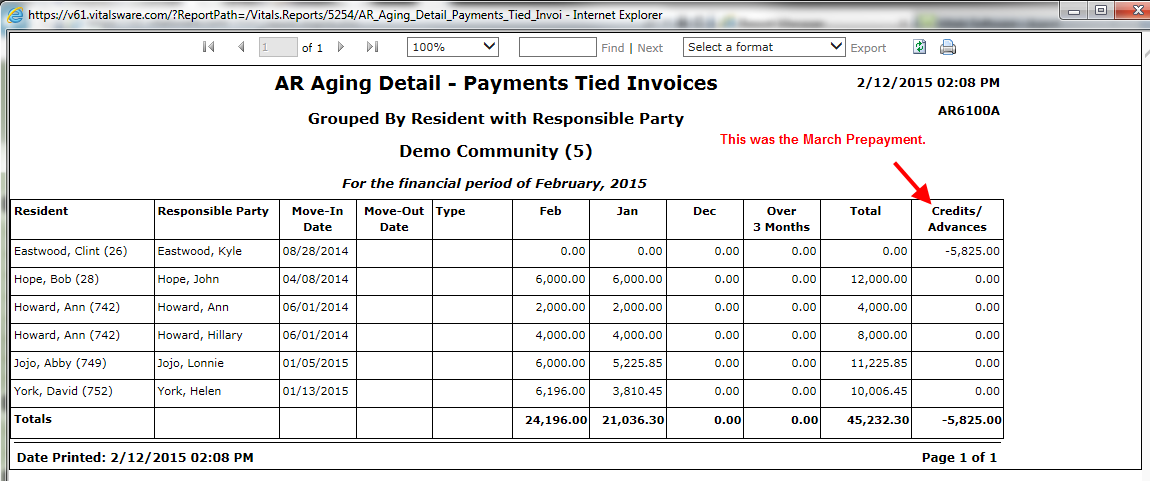
14. Now let’s run the aging report for March. The resident Clint Eastwood does not appear on the March aging. This is because the March Prepayment entered with February date has been applied to March invoice.
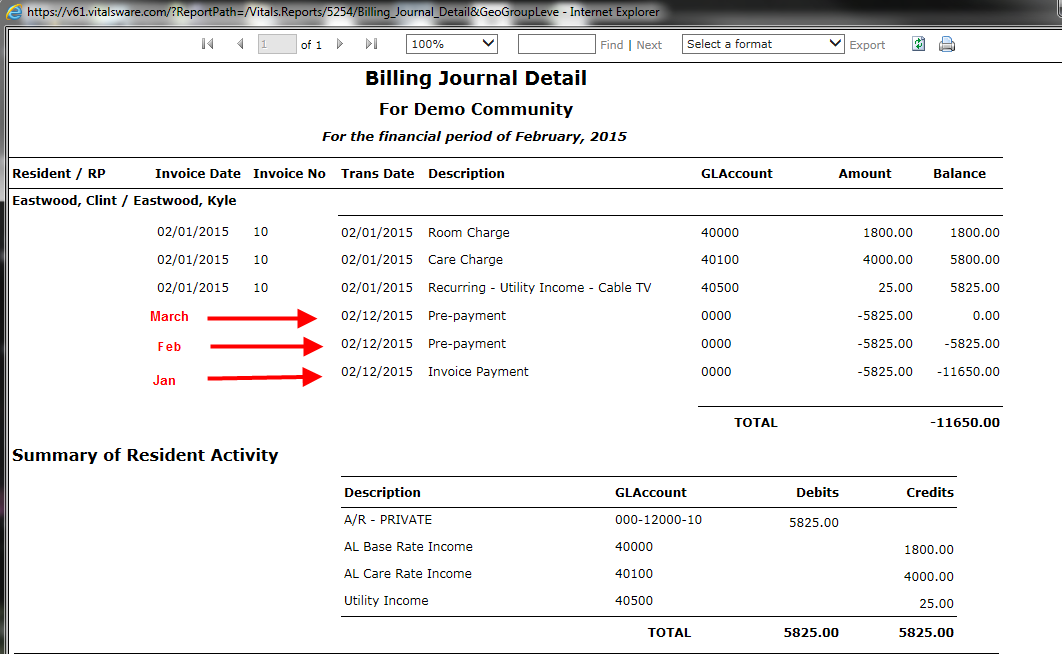
15. Shouldn’t the Billing Journal Detail reflect Payments to Invoices tie up as well? The latest version of the report we have does not. There is a credit balance in February which reflects the January and March payments. This report is run by Financial Period for February 2015.
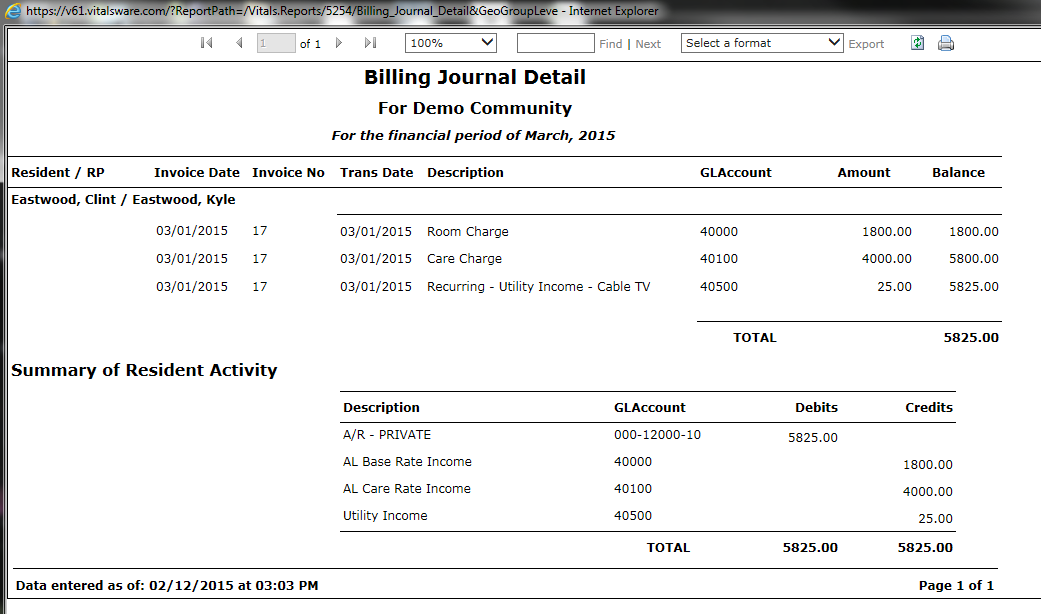
16. A balance is displayed for March when run by Financial Period of March 2015. The overall balance is $0.00 as of 3/31/2015.
Was this article helpful?
That’s Great!
Thank you for your feedback
Sorry! We couldn't be helpful
Thank you for your feedback
Feedback sent
We appreciate your effort and will try to fix the article