Hard Close is the process which locks down financial data for a Financial Period and preserves the integrity of the historical billing reporting. Vitals best practice states that the timing for a Hard Close should be between the 1st and 3rd days of the month following the period you are targeting for the Hard Close. This may vary due to your organizations own internal policies and procedures.
To perform a Hard Close
1. Access the Prepare Statements menu item from the left navigator.
2. Access the Hard Close tab.
3. Select your building by clicking the checkbox.
4. Click the Close Financial Period button.
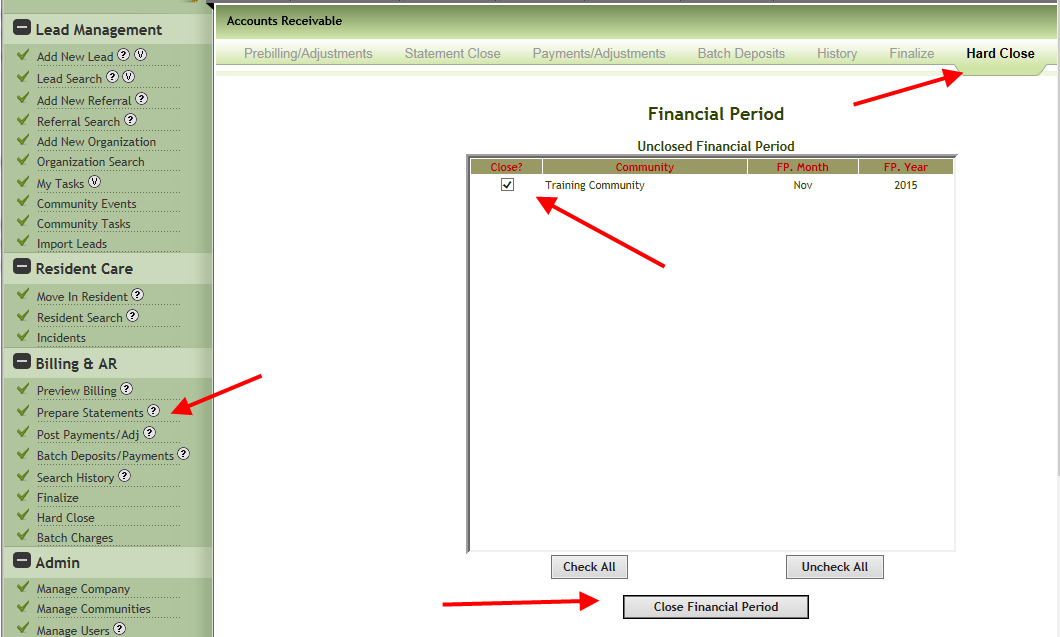
If successful you will received a confirmation message that the period has been close.
Why won't the financial period close?
When this happens you will see the following message. Understanding the message is key to troubleshooting and resolving the issue.

Unfinalized Invoices and Payments
1. From the left navigator access Prepare Statements.
2. Access the Finalize tab.
3. Enter the start and end date of the invoice period you are working with.
4. Search transactions.
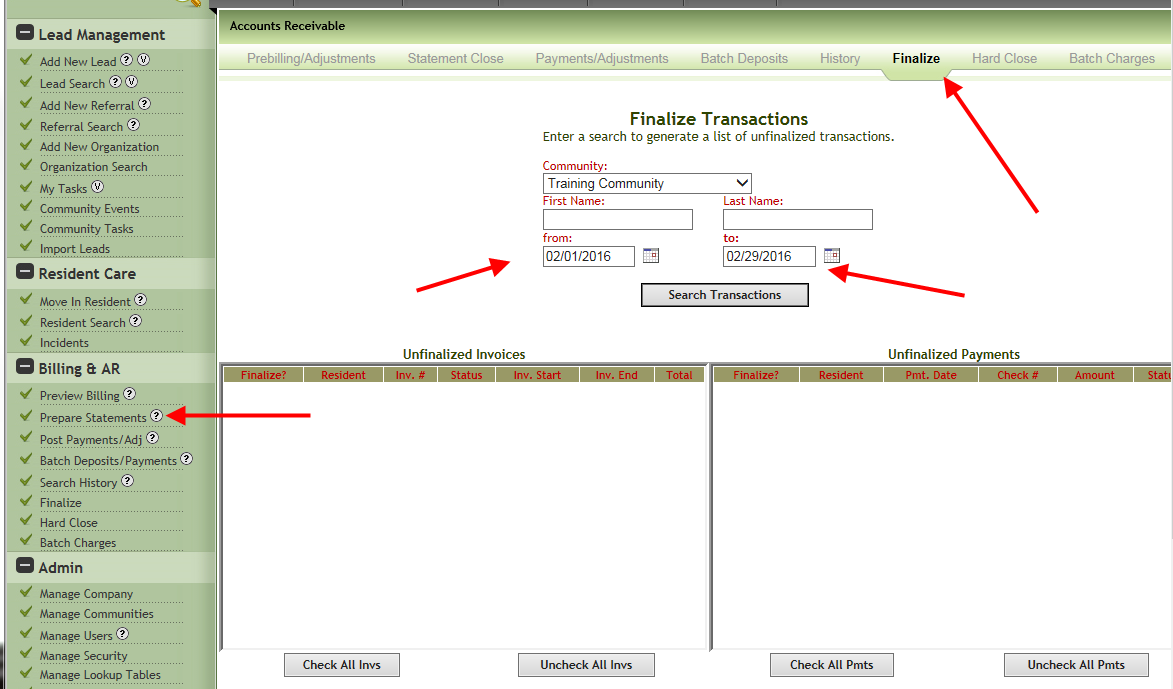
If there are transactions showing in either the Unfinalized Invoices or Unfinalized Payments areas they must be finalized before the Hard Close can be performed.
Open Invoices
This is the most common issue when a Hard Close is not successful. Any open invoices that fall in the current month or the financial period you are attempting to close must be completed. This most frequently applies to new residents that moved near the end of the month. To check if you have open invoices in the financial period do the following.
1. Access the Prepare Statements tab.
2. Select the Statement Close tab.
3. Select your community and enter the End Date of Current Month.
4. Click Search Open Invoices.
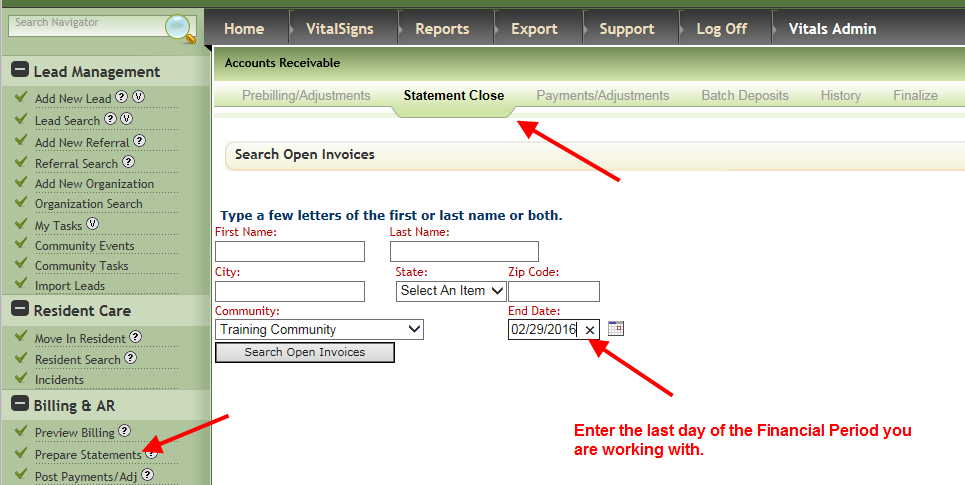
6. If any open invoices are found complete them using the checkbox with End Date of the Current Month.
7. Repeat the same steps above using the End Date of the Financial Period you are attempting to Hard Close.

After these troubleshooting steps are complete return to the Hard Close menu and attempt the Hard Close again. The process should be successful.
Was this article helpful?
That’s Great!
Thank you for your feedback
Sorry! We couldn't be helpful
Thank you for your feedback
Feedback sent
We appreciate your effort and will try to fix the article