Statement close best practice
Keep all of the invoices with the same ending invoice date. Avoid completing invoices on a one by one basis. The exceptions are:
- When you move a resident into your community you typically need to complete their first invoice, and
- When a resident moves out you need to change their ending invoice date, complete their invoice and move them out.
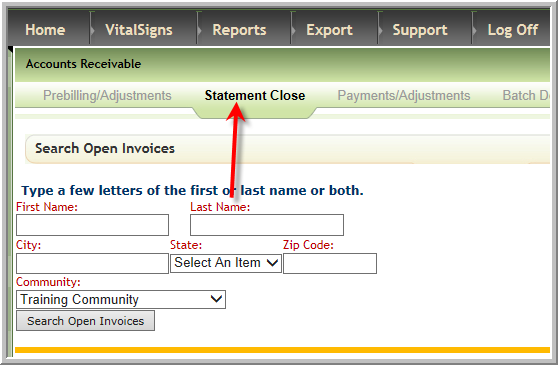
Once you have evaluated the invoices for accuracy in Preview Billing click Statement Close
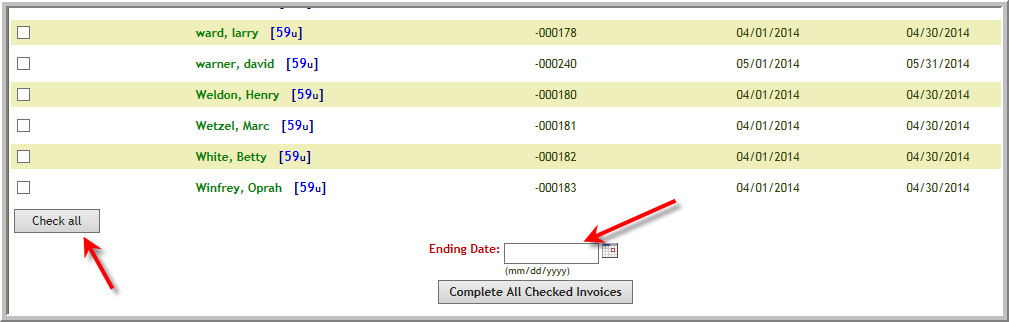
Scroll to the bottom of the page, click Check All, and enter the ending invoice date. In the example below the ending date would be 4/30/2014 then click Complete All Checked Invoices
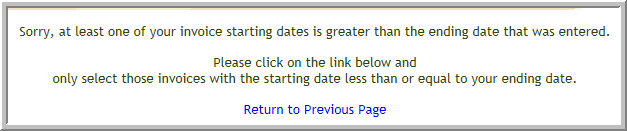
If any of the bills you checked have a different ending invoice date you will get error message below. This means you did not follow the best practice of having the same ending invoice date.
Important: If you get the following error you have made mistake in the ending date. Click cancel and input the correct ending date.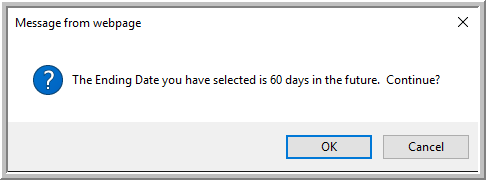
Was this article helpful?
That’s Great!
Thank you for your feedback
Sorry! We couldn't be helpful
Thank you for your feedback
Feedback sent
We appreciate your effort and will try to fix the article