Chrome
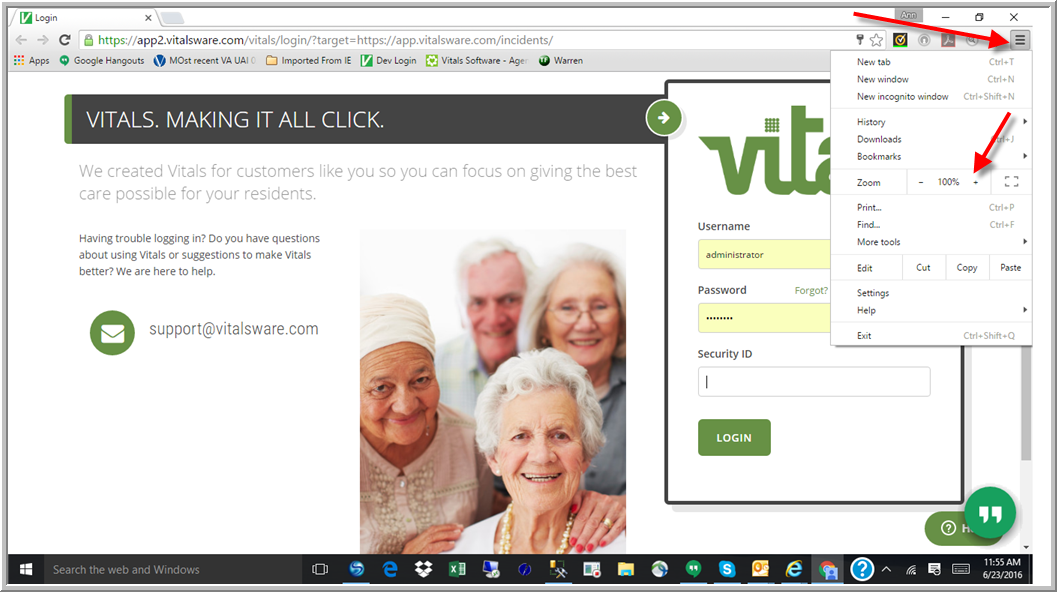
If you are using Chrome as your browser:
- Click the Customize
- Click the Plus or Minus sign to the right of Zoom until the size of font is appropriate for you
Internet Explorer
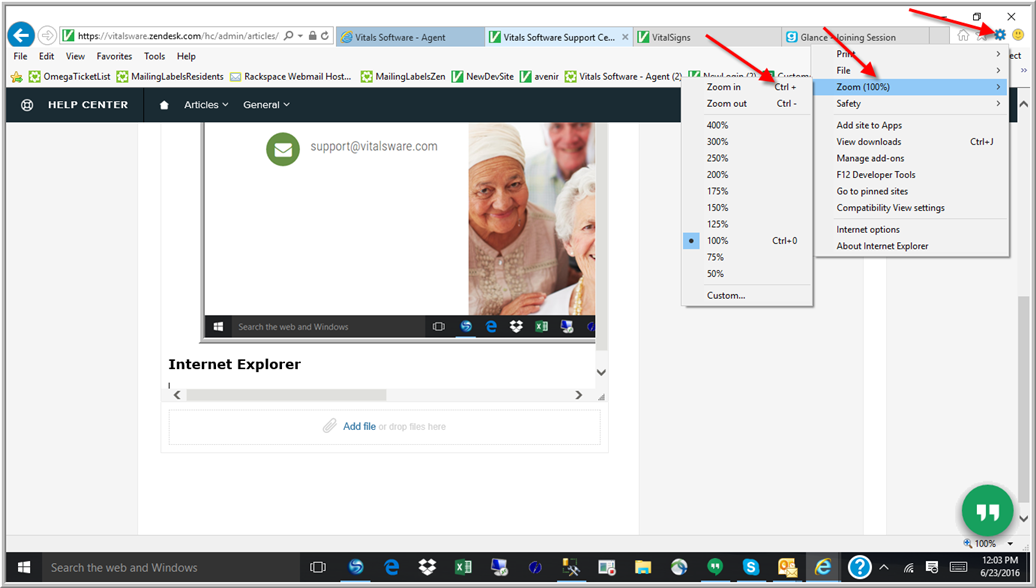
If you are using Internet Explorer as your browser
- Click Tools
- Hover mouse over Zoom
- Click Plus or Minus Sign until text is correct size or use one of the other Zoom options.
Mozilla Firefox
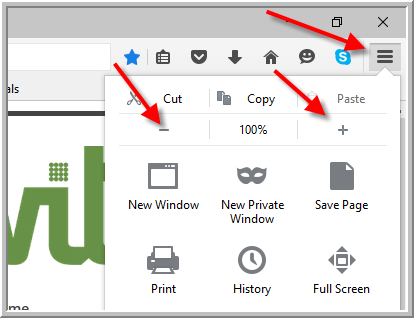
If you are using Mozilla Firefox as your browser:
- Click Open Menu
- Click Plus or Minus sign close until font is correct
Was this article helpful?
That’s Great!
Thank you for your feedback
Sorry! We couldn't be helpful
Thank you for your feedback
Feedback sent
We appreciate your effort and will try to fix the article