If you have Internet Explorer 11 and your company has our legacy crystal reports you will need to add intracare.com to Compatibility View Settings.
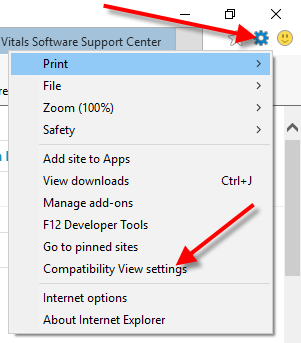
- Select Tools/Compatibility View Settings
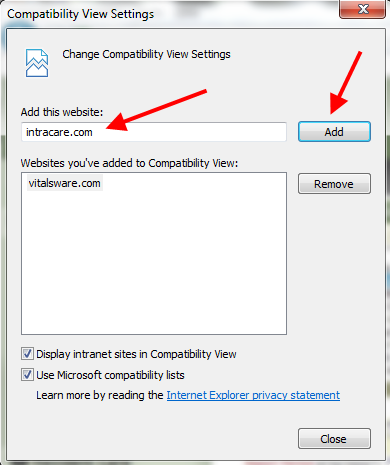
- Enter intracare.com in 'Add this Website:' then click Add. Click Close button when finished.
- After completing the steps above, close all Internet Explorer browser windows then restart Internet Explorer.
Was this article helpful?
That’s Great!
Thank you for your feedback
Sorry! We couldn't be helpful
Thank you for your feedback
Feedback sent
We appreciate your effort and will try to fix the article