You can edit occupied and unoccupied beds:
Occupied Beds
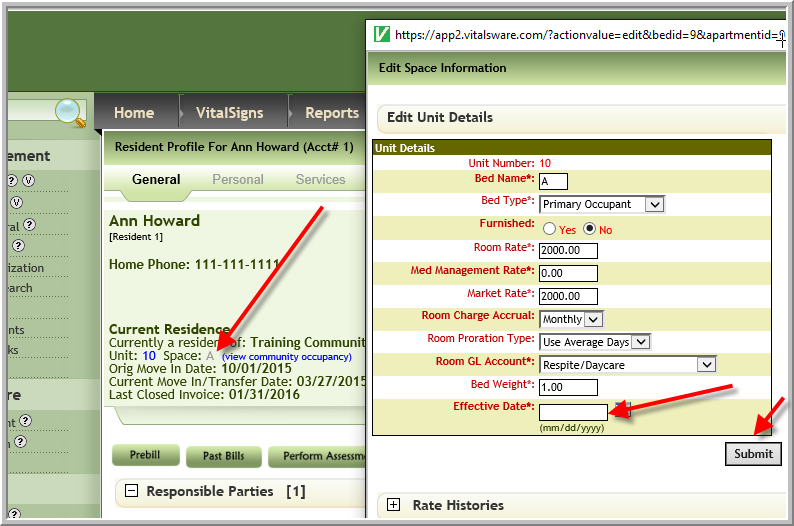
You can edit an occupied bed by clicking the bed on the resident profile making the changes as needed, enter the effective date of change then click Submit. (If this option is not available go to the Unoccupied/Occupied Beds to see if you can edit bed.)
Note: When you are changing the dollar amounts for the bed rate or the care level the invoice for customers that use billing will change the open invoice from the effective date of the change.
Unoccupied/Occupied Beds
It is possible to edit occupied and unoccupied beds using the steps listed in linked article below to edit the bed information. However, in step 7 of this article you can edit whatever is necessary instead of just the room rate.
If you do not have access to either method refer to someone else in your community or the Vitals Administrator at your company.
Was this article helpful?
That’s Great!
Thank you for your feedback
Sorry! We couldn't be helpful
Thank you for your feedback
Feedback sent
We appreciate your effort and will try to fix the article