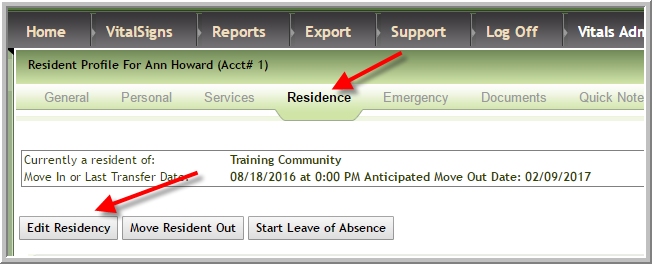
1. Access the resident's profile. Click Residence then click Edit Residency.
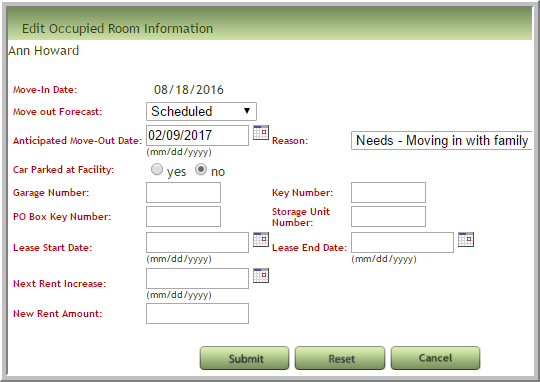
2. Options for this resident before changes
3. To delete the scheduled move out change Move Out Forecast to Select An Item, remove date and change Reason to Select An Item click Submit.
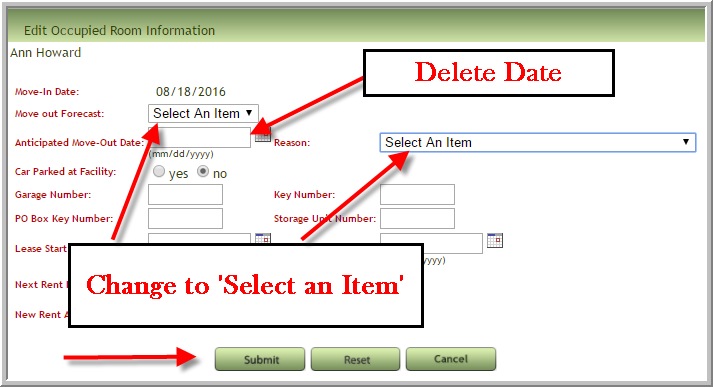
4. To edit select the items that need to be changed in the pop-up then click Submit
Was this article helpful?
That’s Great!
Thank you for your feedback
Sorry! We couldn't be helpful
Thank you for your feedback
Feedback sent
We appreciate your effort and will try to fix the article