This article explains how to inactivate an Organization. Note: When an Organization becomes inactive all connected / linked Referrals automatically become inactive too. However, you can reactivate referral contacts and remove the deactivated organization and replace with another organization if applicable.
1. Click Organization Search
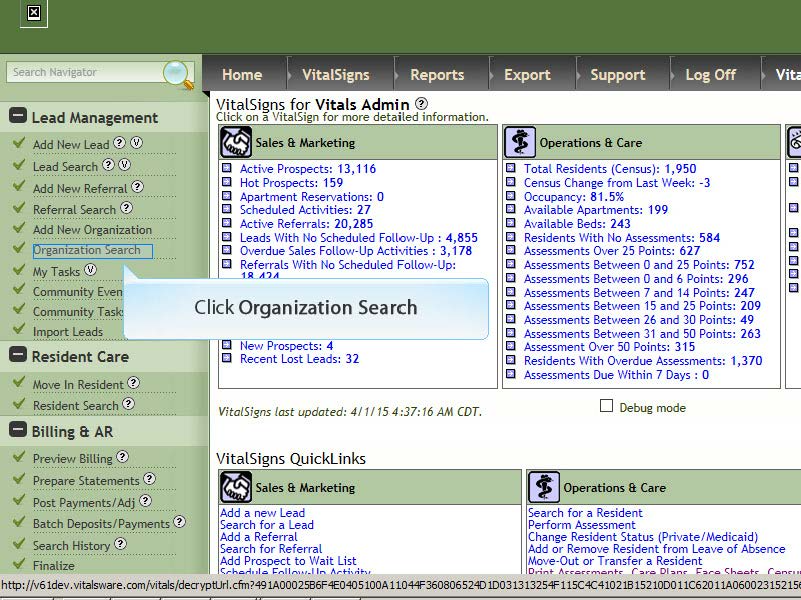
2. Enter part of Organization Name (optional) or just click Search Organizations to return a list of all Organizations.
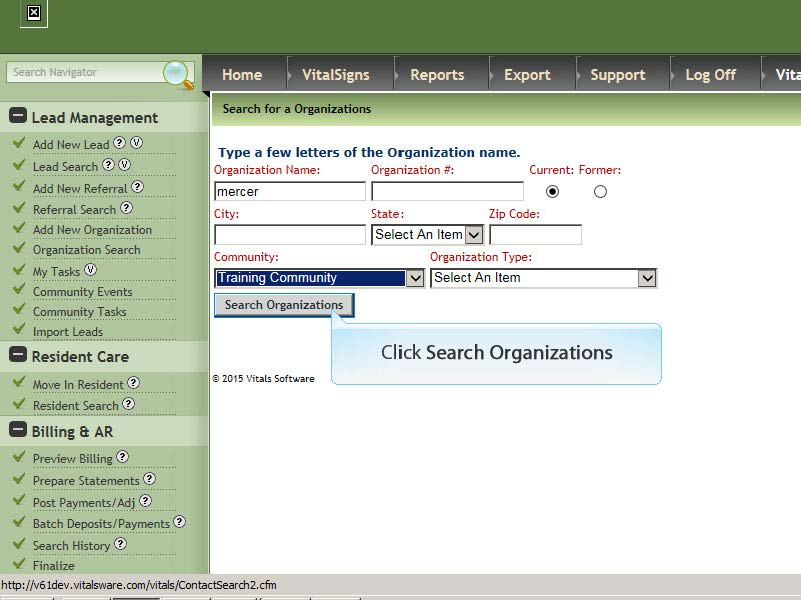
3. Click Organization Name that you want to inactivate.
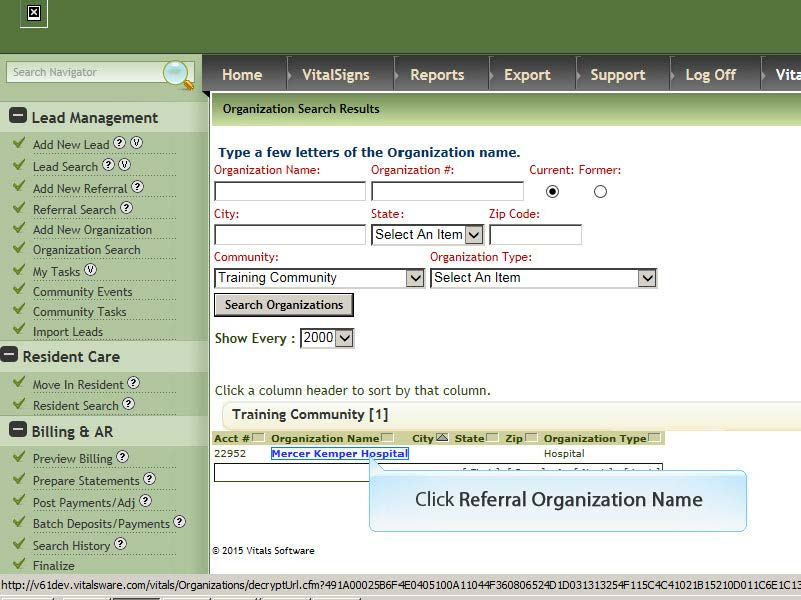
4. After the Organization Profile opens it may be necessary to scroll to the right and click Edit
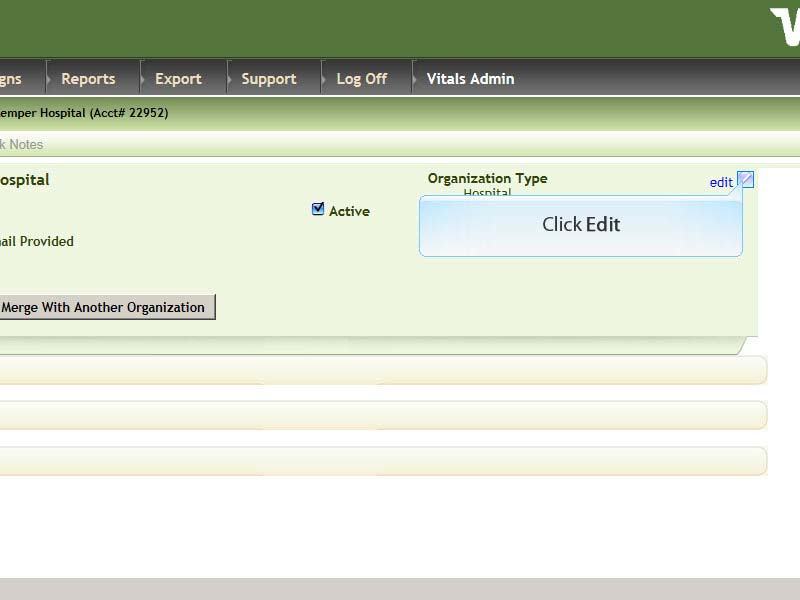
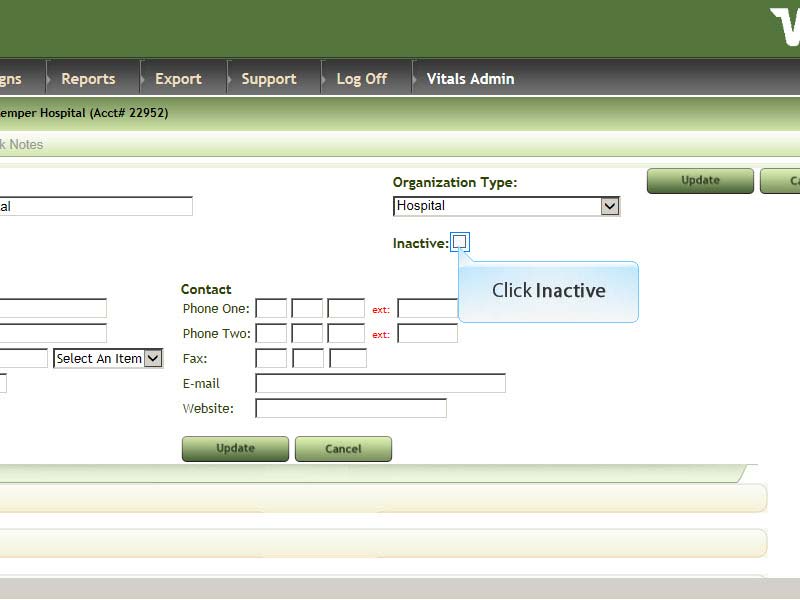
5. Click the Inactive box, then click Update
6. A warning notification will display that referrals are also deactivated, select OK
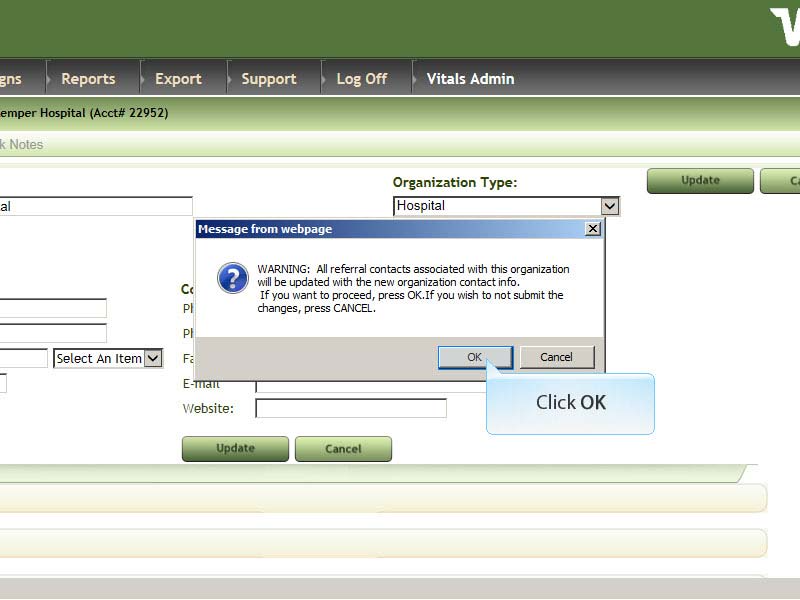
Reminder: When an Organization becomes inactive all connected / linked Referrals automatically become inactive too. However, you can reactivate referral contacts and remove the deactivated organization and replace with another organization if applicable.
Was this article helpful?
That’s Great!
Thank you for your feedback
Sorry! We couldn't be helpful
Thank you for your feedback
Feedback sent
We appreciate your effort and will try to fix the article