The following concepts can be used for Leads and Referrals:
1. Identify the referrals or leads that need to be inactivated or leads that need change of decision status. Sometimes looking at a report will help you identify the contacts that need action.
2. Click 'Lead Search' (or 'Referral Search')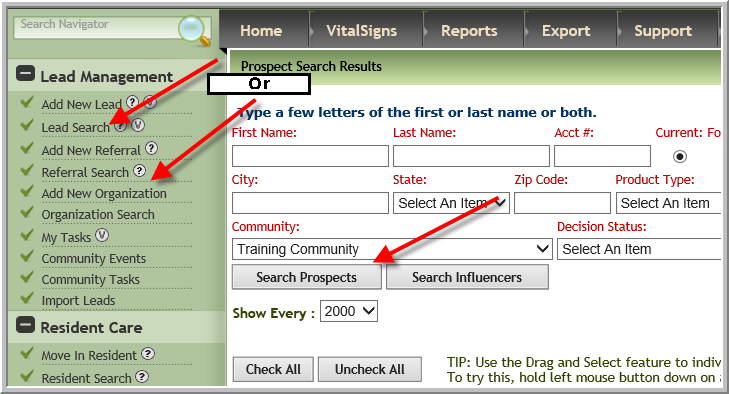
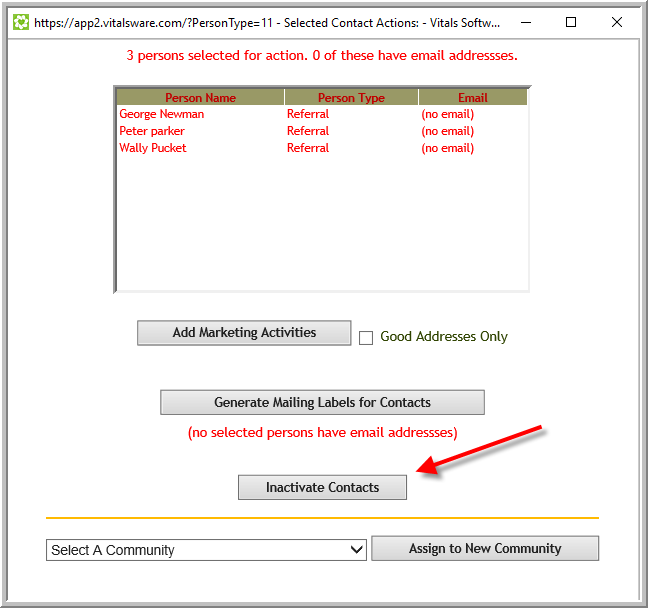
3. Click checkboxes by the contacts that all need the same new decision status or need to be deactivated. Scroll to the bottom of screen, click Perform Tasks select correct Decision Status. (If you need to inactivate select the inactivate reason and optionally enter a note that will display on each lead). Click Change Decision Status (Click Inactivate Contacts on Referral Screen)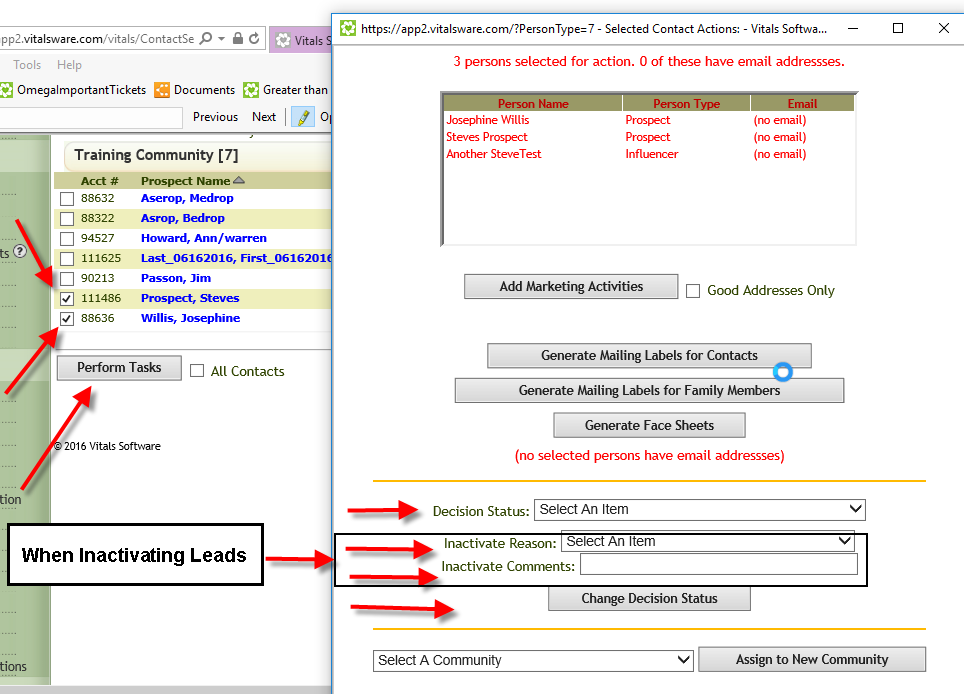
Referral Screen below
Was this article helpful?
That’s Great!
Thank you for your feedback
Sorry! We couldn't be helpful
Thank you for your feedback
Feedback sent
We appreciate your effort and will try to fix the article