It is possible to inactivate multiple leads all at once.
- Click Lead Search , click Search Prospects, click checkbox adjacent to each prospect's name that needs to be inactivated.
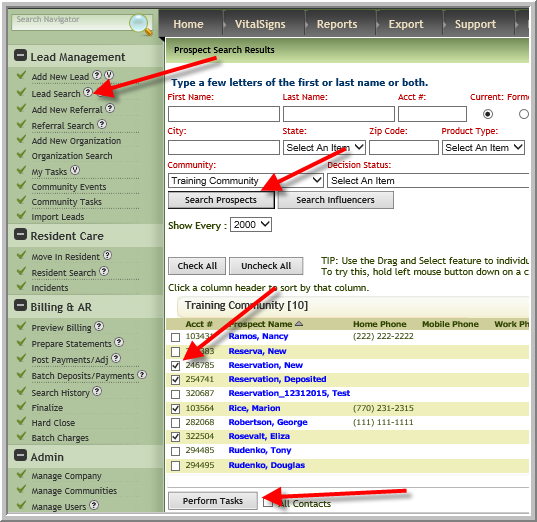
- Click Perform Tasks (See screenshot above)
- Select an inactive decision status type and Inactivate reason. Optional: You can enter notes regarding the inactivation, click Change Decision Status
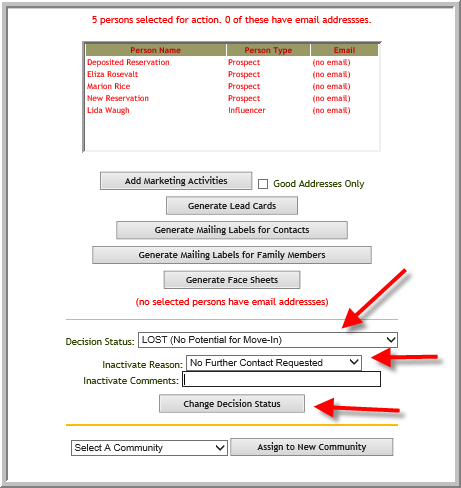
Note: Influencers are also inactivated. (The drop down options may differ at your company.)
Was this article helpful?
That’s Great!
Thank you for your feedback
Sorry! We couldn't be helpful
Thank you for your feedback
Feedback sent
We appreciate your effort and will try to fix the article