Vitals does not delete leads. However, you can inactivate a prospect or influencer by following these steps:
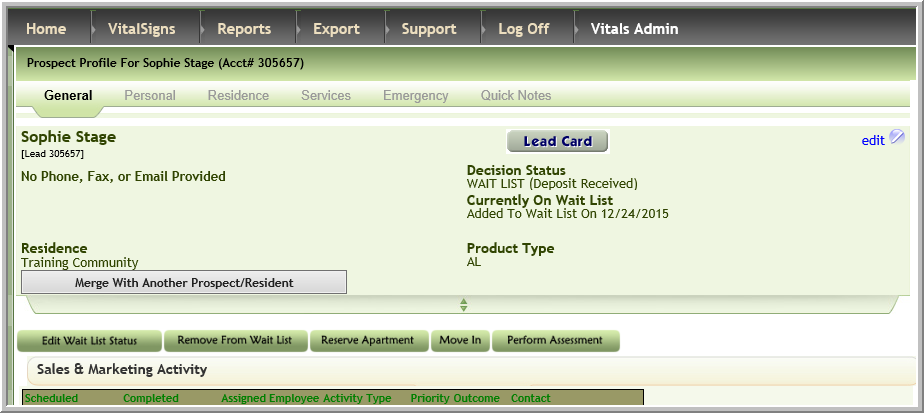
- Access the profile of the prospect or influencer
- Click Edit
- Select an inactive Decision Status, the inactive/former checkbox will be checked and the inactive date automatically populated, select an Inactivate Reason and click Update
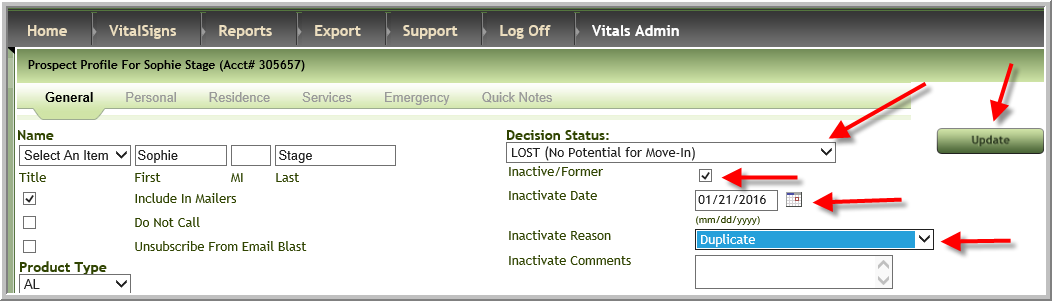
Note: Your inactive decision status and reasons will be different than in screenshot above
Was this article helpful?
That’s Great!
Thank you for your feedback
Sorry! We couldn't be helpful
Thank you for your feedback
Feedback sent
We appreciate your effort and will try to fix the article