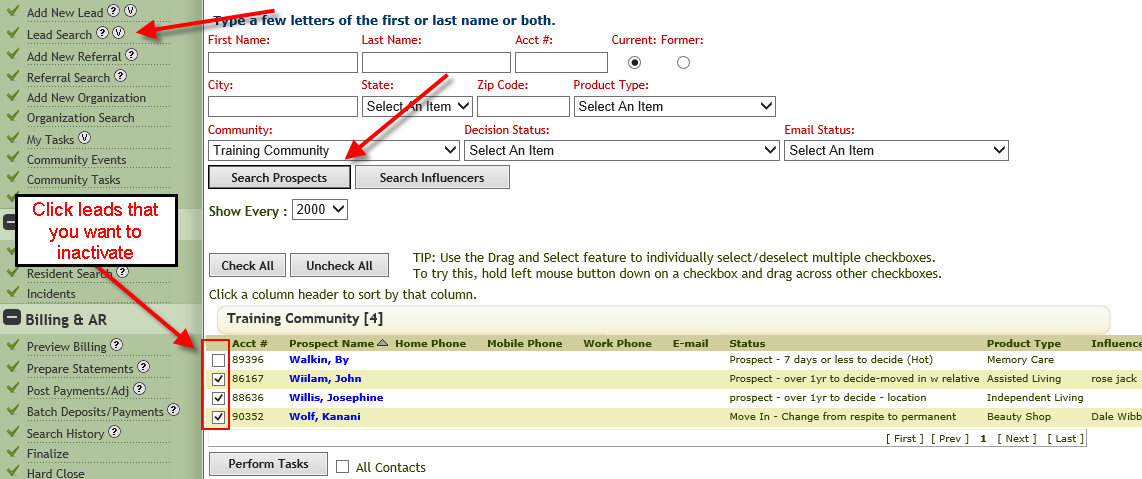
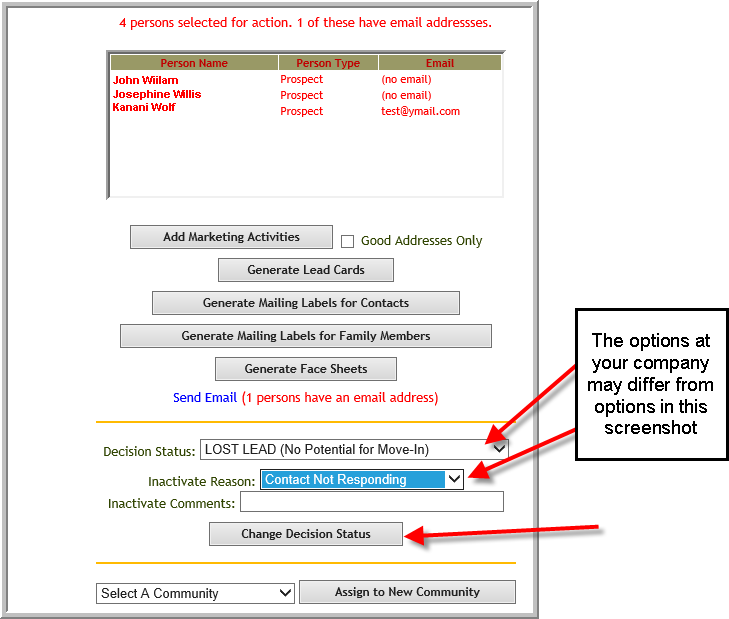
You can inactivate multiple leads at once but realize each lead you inactivate with this method will have same inactivated lead information. The steps to inactivate multiple leads are as follows:
- Click Lead Search -->Search Prospect--> Click Checkbox by each lead you want to inactivate
- Select inactive decision status and inactivate reason, click Change Decision Status
Was this article helpful?
That’s Great!
Thank you for your feedback
Sorry! We couldn't be helpful
Thank you for your feedback
Feedback sent
We appreciate your effort and will try to fix the article