Some Portals have a Rate Increase Letter and Rate Review Letter. If your company uses Vitals Billing and needs these reports please have your Vitals Administrator send a copy of the letter you want available to residents to support@vitalsware.com
The Rate Increase Review feature of Vitals has two reports located under the Administration tab of Vitals.
- Rate Increase Letter
- Rate Review by Date
Rate Review by Date
The Rate Review by Date by default is calculated on an annual basis from the resident move in date. In the following example we are reviewing all residents where a rent increase is due in the month of January 2017.
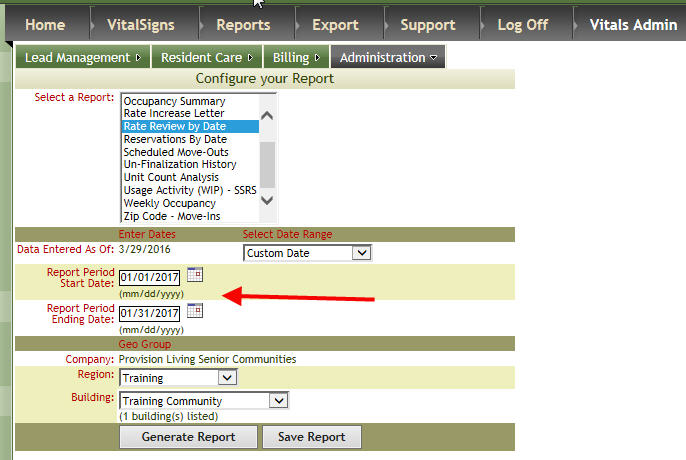
This will generate a report displaying residents having a rate increase due along with their current room rate (applicable only to billing customers).
If the rates change annually at your community when the resident moves in on the 1rst of the month through the 15th of the month the rate will increase on the first of the month the following year. If the resident moves in on the 16th of the month the rate will increase on the first of the month but it will be the next month rather than the move in month.
Examples:
- Resident moves in on 1/15/2017. Rate increase will display in 1/15/2018
- Resident moves in on 1/16/2017. Rate increase will display on 2/1/2018
Manual Override for Rate Increase Date and New Rate Amount
Important: When Vitals first brought out this feature it was necessary to edit the residency page to get the letter and then when the price increased it was necessary to edit the bed too. If you follow the procedures outlined below and a letter does not generate please notify Vitals.
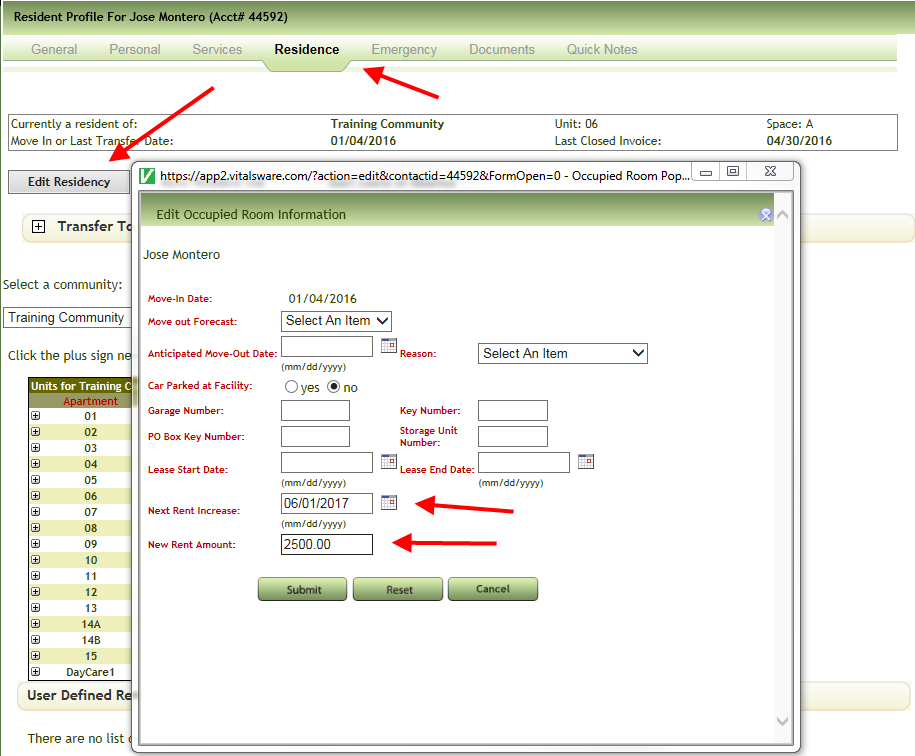
To override the defaults for an individual resident's rate increase date and to indicate the new increase rate,
- Access the resident profile.
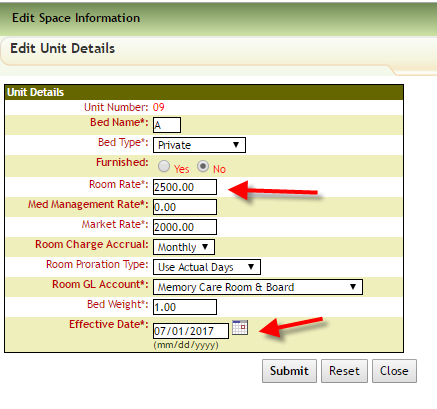
- You set a new Room Rate of $2500.00 effective for a future date in this case 7/01/2017.
- July Prebill reflects the new rate...
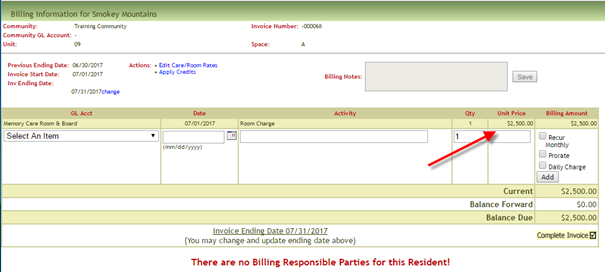
- July Prebill reflects the new rate...
- Note: Under Residence Tab/Edit Residency, the Edit Occupied Room Information automatically uses the effective date of change as the Next Rent Increase Date. New Bed Rate is used for New Rent Amount. These are the values that will be used for the Rate Increase Letter and Rate Review Report.
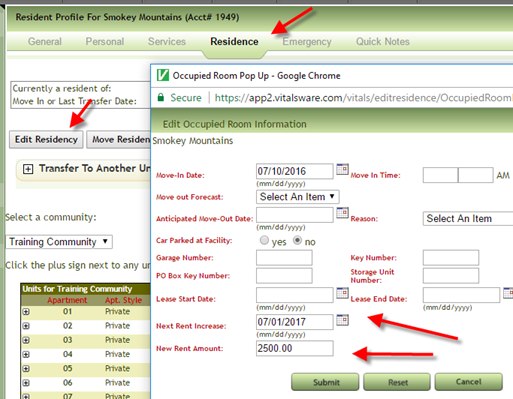 Note: If you edit on the Residence page instead of the editing the bed you will need to also edit the bed for the increase to take place in the future.
The Rate Increase report will now reflect that the resident has a Rate Increase due in July 2017.
Rate Increase Letter
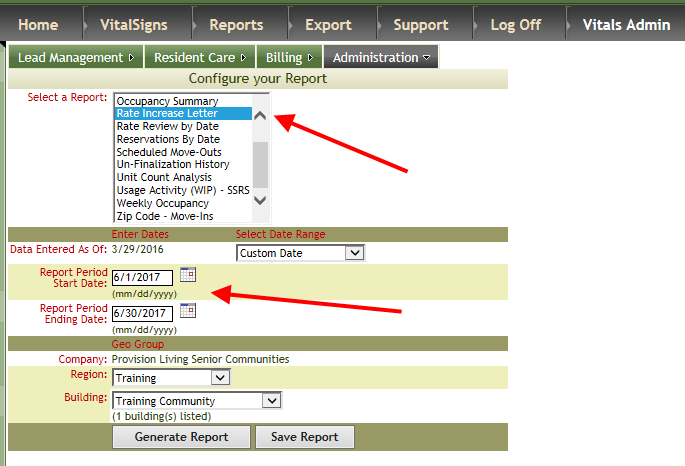
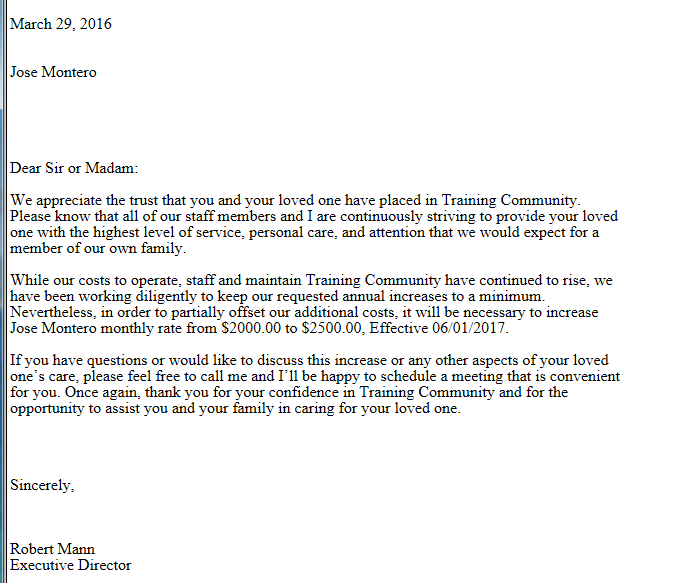
The Rate Increase Letter will print with the information from each resident profile.
Select the date range for resident's with a rate increase due in that period and click Generate Report.
A printable letter is generated with the terms of the rate increase populated from the resident profile.
Was this article helpful?
That’s Great!
Thank you for your feedback
Sorry! We couldn't be helpful
Thank you for your feedback
Feedback sent
We appreciate your effort and will try to fix the article