Use the 'Apply Credit' feature to create recurring charges/credits for a time range:
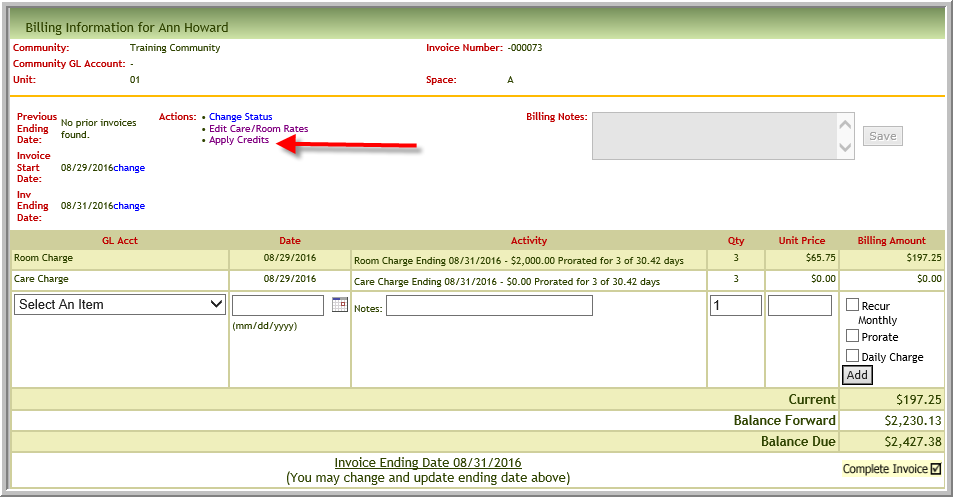
- Open Resident Prebill
- Click 'Apply Credits'
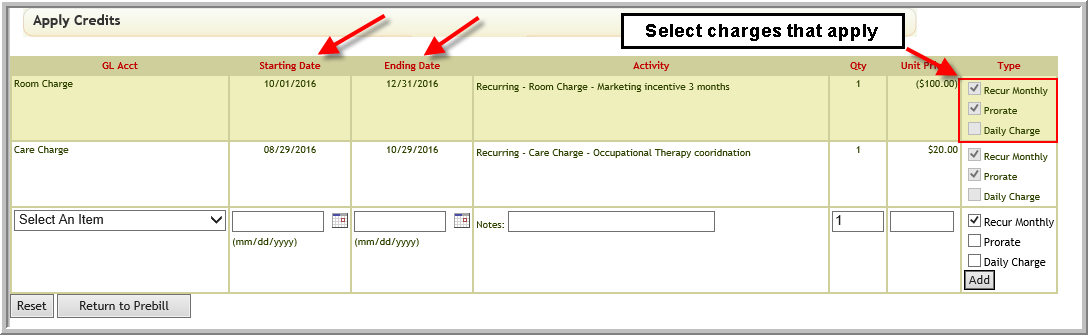
- Enter the correct amount information being sure to enter if charge is monthly or daily and whether it should be pro-rated. Click Add after the charge is correct
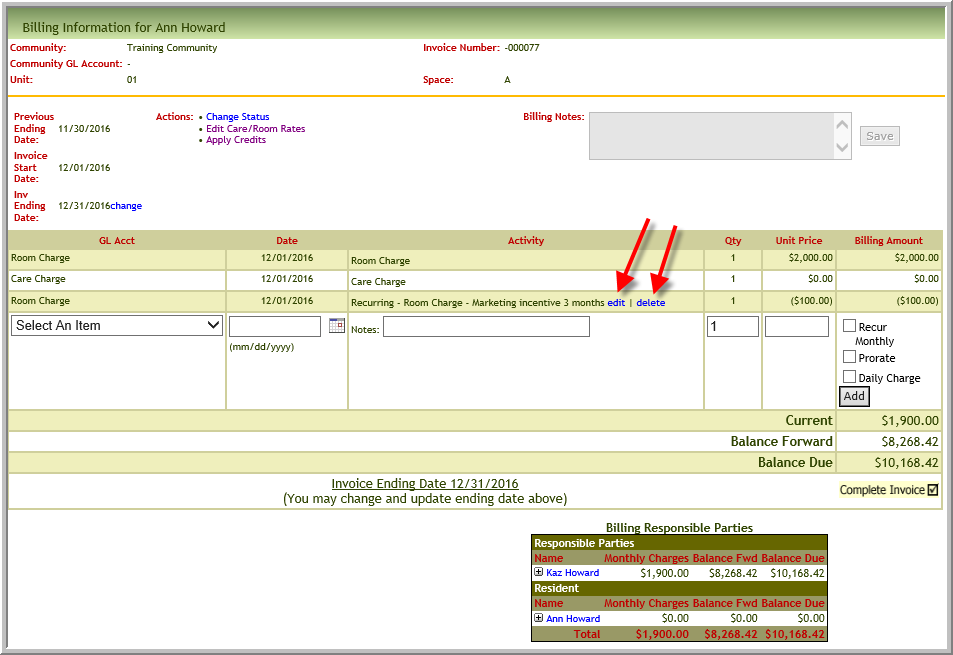
- Click Edit or Delete (The change will apply to the current and future recurring charges or credits.)
Was this article helpful?
That’s Great!
Thank you for your feedback
Sorry! We couldn't be helpful
Thank you for your feedback
Feedback sent
We appreciate your effort and will try to fix the article