The ability to unfinalize invoices and payments in post payments/adjustments is only available to users that have been given access and only for time periods that have not been hard closed. We recommend that most changes for invoices be made in Prebill but there are occasions when it might be deemed necessary to unfinalize invoice in post payments.
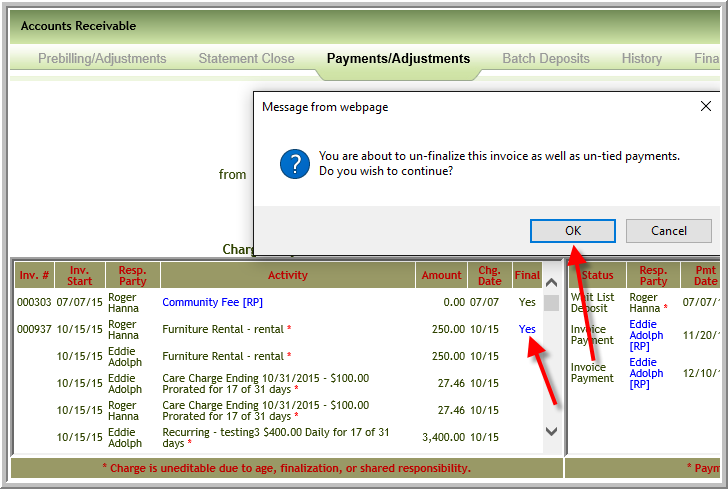
Unfinalize Invoice or Payment for Residents and Prospects
If you have access and if the invoice or payment is available to unfinalize you will view Yes in blue text under the finalize column in Post Payments.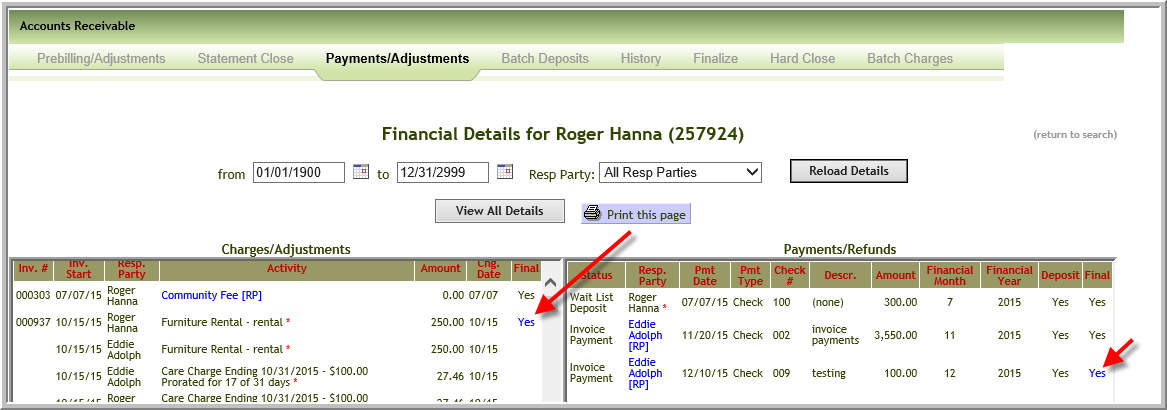
To unfinalize an invoice or payment click the Yes in blue text and click OK on message box. Note: Occasionally you may have two invoices available in periods that have not been hard closed. It may appear that you cannot unfinalize the earlier invoice. However, once you unfinalize the most recent invoice you will have ability to unfinalize earliest invoice.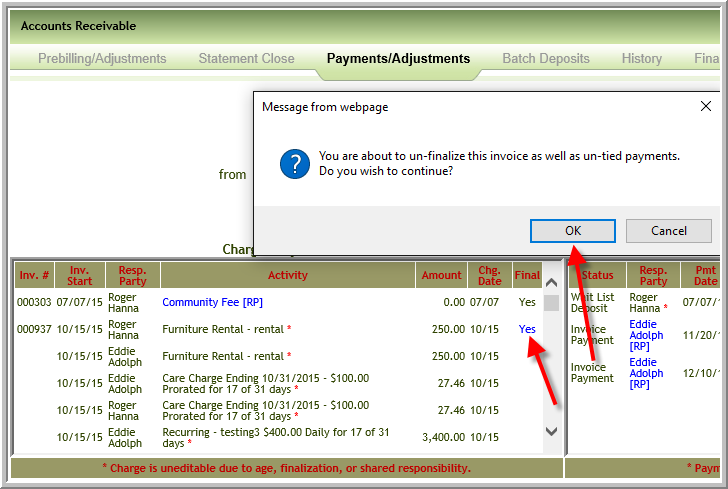
Unfinalize Payment for Non-Resident
To unfinalize a non-resident payment. Search for the non-resident payment in Post Payments Adjustments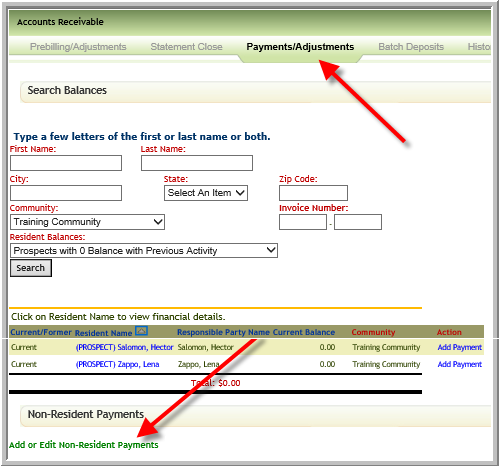
If you have access and if the invoice or payment is available to unfinalize you will view Yes in blue text. Click Yes to unfinalize.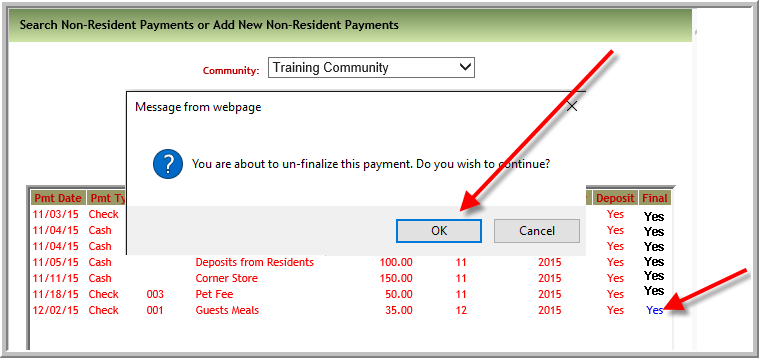
Note: When a payment is deposited but not finalized the only thing that can be changed is the responsible party. When payments have been batch deposited each payment has to be unfinalized and the batch deleted before the payment can be edited for other items such as GL account, amount etc.
Was this article helpful?
That’s Great!
Thank you for your feedback
Sorry! We couldn't be helpful
Thank you for your feedback
Feedback sent
We appreciate your effort and will try to fix the article