Enter Community Fees and/or Deposits for prospects by adding them to a wait list or reserving an apartment. This article focuses on using the Add to Wait List functionality; however, when reserving an apartment the fields concerning community fees and deposits are treated the same.
The primary thing to understand is:
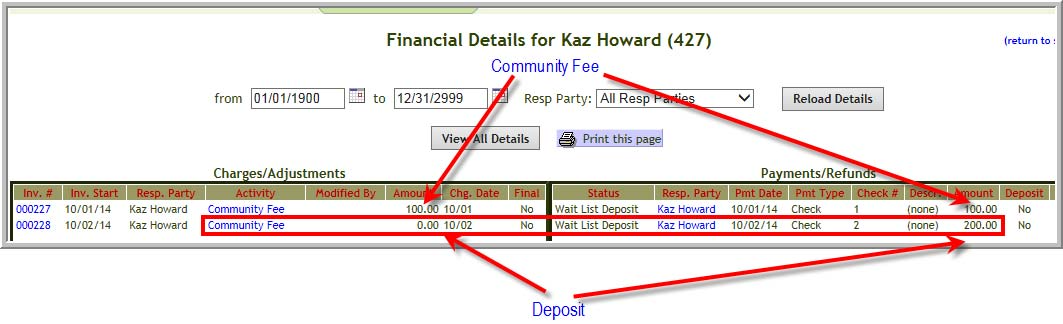
- A Community Fee will get a corresponding invoice in the same amount as the community fee
- A Deposit will get a corresponding invoice in the amount of $0.00
The invoice information can be seen in Post Payments/Adjustments (This applies only to customers who use Vitals Billing Module.)
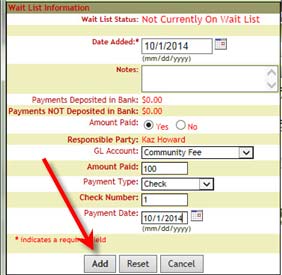
1. Click Add to Wait List
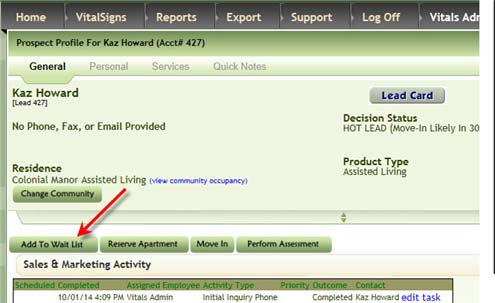
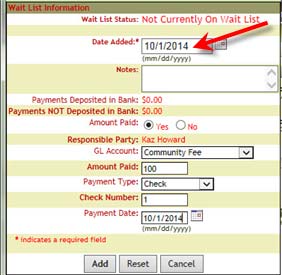
2. Date Added is the date that the prospect was added to the wait list. (It is not the date of payment). It is the only required field in this pop up.
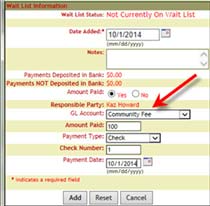
3. Select one of the GL Accounts. Typically the choices are Community Fee or Deposit. If the check is paying for Community Fee and Deposit you will need to Edit Wait List to add the information for the other part of the payment
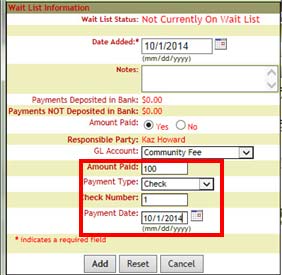
4. Enter the amount paid, payment type, check number, payment date
5. Click Add
Note: When the prospect makes an additional payment, repeat steps 1 through 5 again. However, the screen will display Edit Wait List rather than Add to Wait List per screen shot 1.
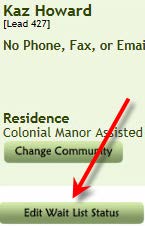
Use the same date for Date Added each time. (Remember Date Added means the date the prospect was added to the wait list. It does not mean the date of payment)
Post Payments/Adjustments (Billing customers only)
To see what happens to Prospect Payments navigate to Post Payments/Adjustments
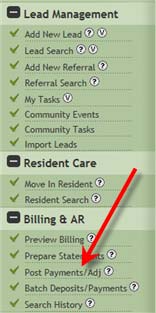
6. Click Post Payments/Adj
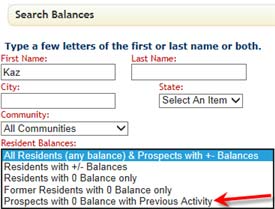
7. Enter part of prospects name click Search
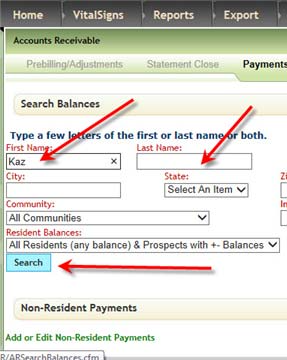
Note: If the prospect has only paid a Community fee the balance would be 0. (See next screenshot)
8. If the Prospect has a 0 balance select Prospects with 0 balance
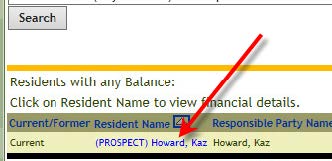
9. Click Prospect Name
10. Community Fee’s invoice is the same amount as the payment of the Community Fee. The Deposit gets a corresponding invoice in the amount of $0.00
Was this article helpful?
That’s Great!
Thank you for your feedback
Sorry! We couldn't be helpful
Thank you for your feedback
Feedback sent
We appreciate your effort and will try to fix the article