This article explains how to transfer a resident into a new apartment. It is less complicated to move residents to new rooms if you first move out all residents that no longer live in the community and if you change the apartments in a timely manner. If the resident is moving out of a community please follow instructions in the article called How do I move out a resident?
1. Access the resident’s profile.
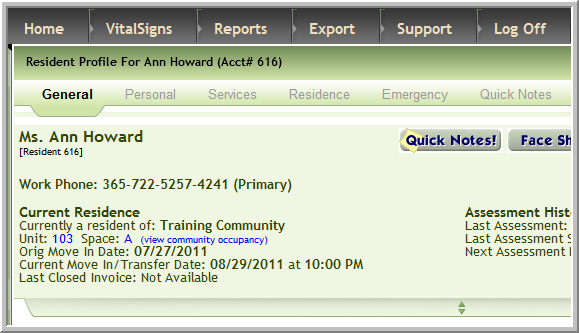
2. Click Transfer
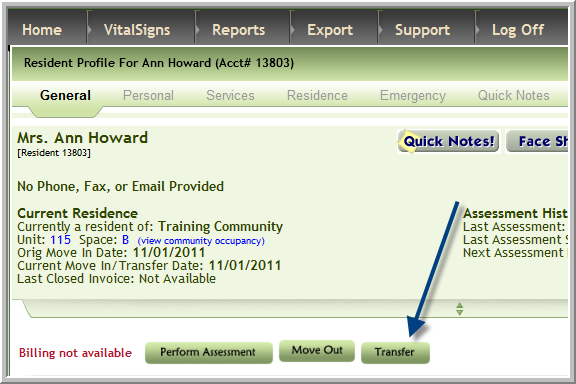
3. Click the plus sign adjacent to the resident’s new apartment number
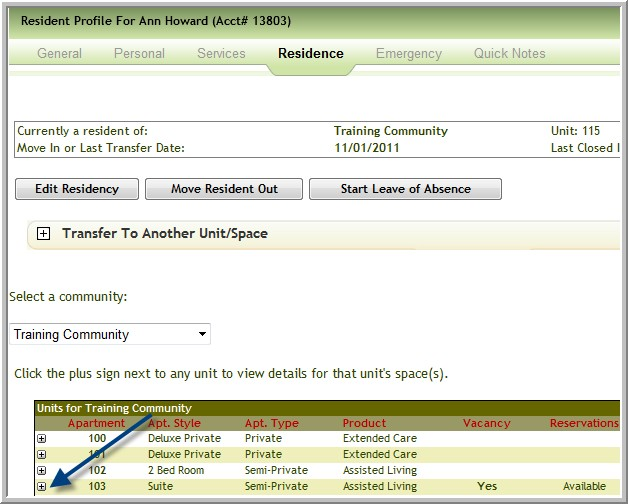
Note: If the text for the correct bed space displays Move in / Swap ( instead of Move In) go to step 7
5. Click Move in for the correct bed space
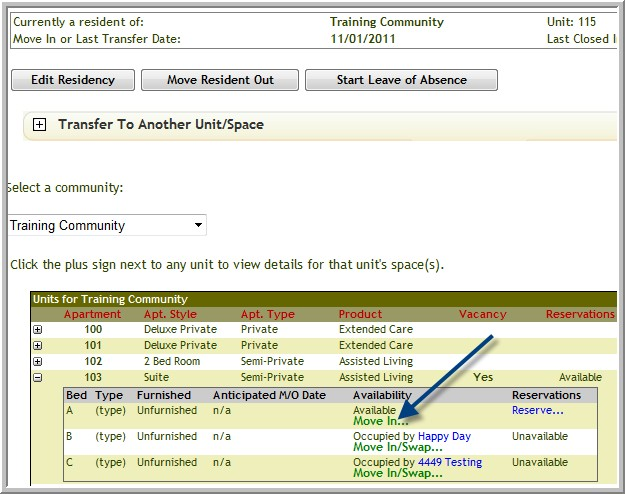
6. The only required fields are Apt Transfer date and Continue
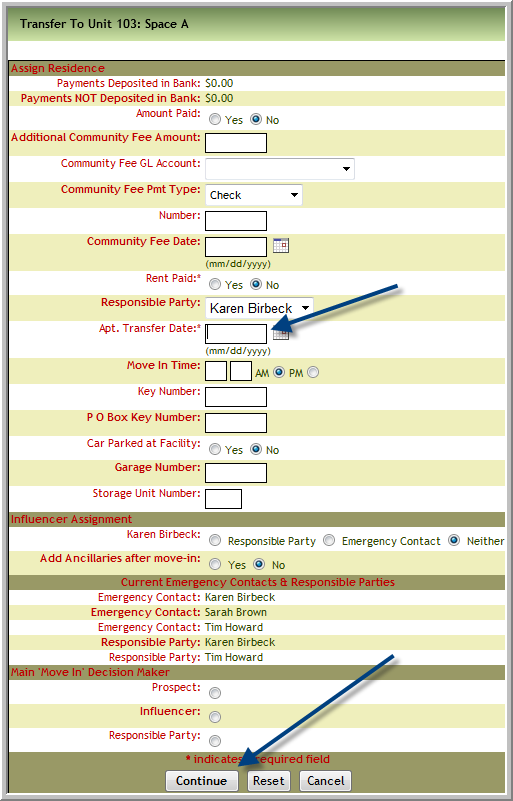
Note: If a swap is not involved the transfer is complete.
7. If someone already lives in this space of this apartment the option will say Move In/Swap and the screen will display the name of the current resident. It will be necessary to transfer or move the current resident as only 1 person is allowed per space. The screens will help you with this process. Click Move In/Swap
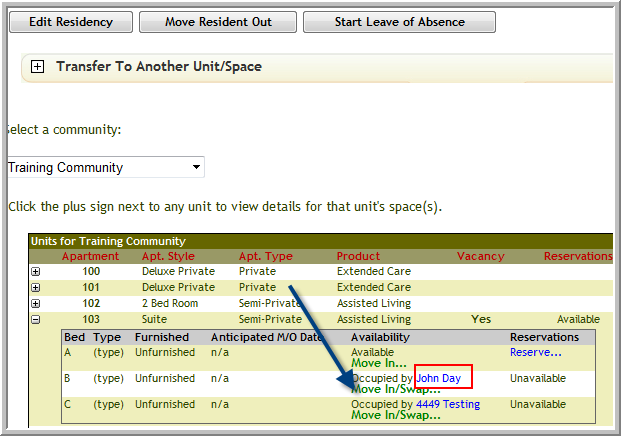
8. Click either:
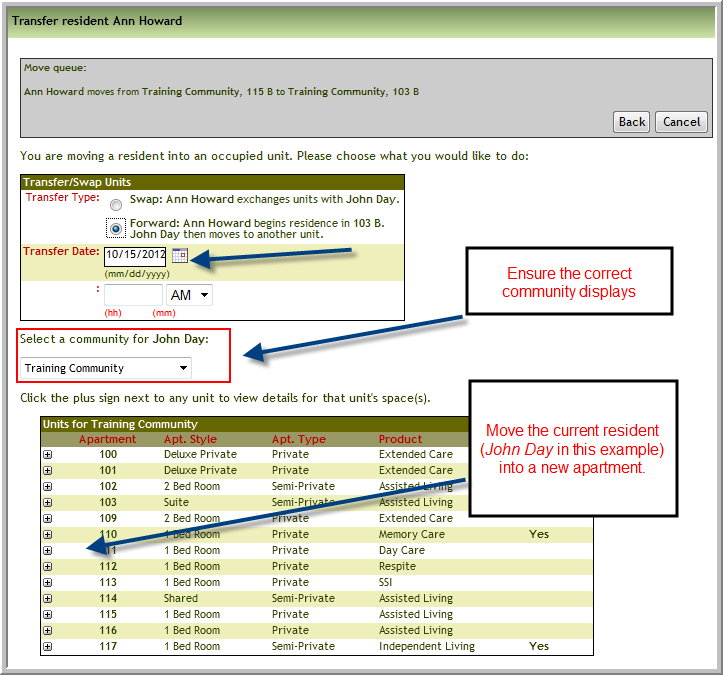
a. Swap: New Resident exchanges units with Current Resident (John Day in this example) or
b. Forward: New Resident begins residence in 103 B Current Resident (John Day in this example) then moves to another unit
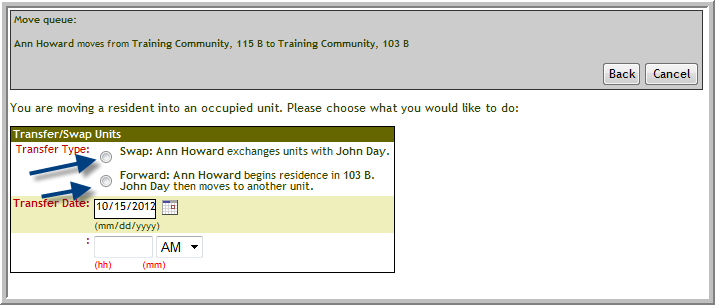
9. If you click Forward….go to step 12
10. If you click Swap… all that is necessary is to enter Transfer Date and click Proceed
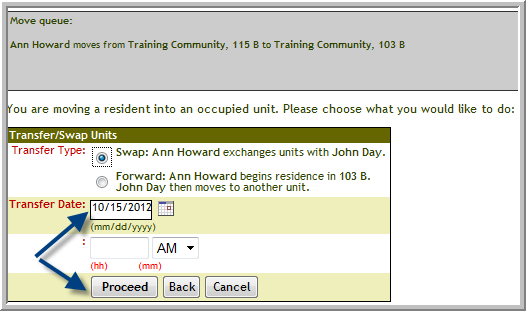
11. If the information displaying in the window is correct, click Commit Changes

Note: If you clicked Swap…this is the last step
12. If you click Forward,
a. Enter the Transfer Date for the new resident into this space. Note: This date will apply to both residents.
b. Ensure the correct community displays for the current resident (John Day in this example)
c. And follow move in steps for the current residents (John Day in this example) into their new apartment
Was this article helpful?
That’s Great!
Thank you for your feedback
Sorry! We couldn't be helpful
Thank you for your feedback
Feedback sent
We appreciate your effort and will try to fix the article