This feature requires appropriate access privileges. Check to see if you have access to change the move in and billing date. If not, you may need to refer to another individual in your community or company.
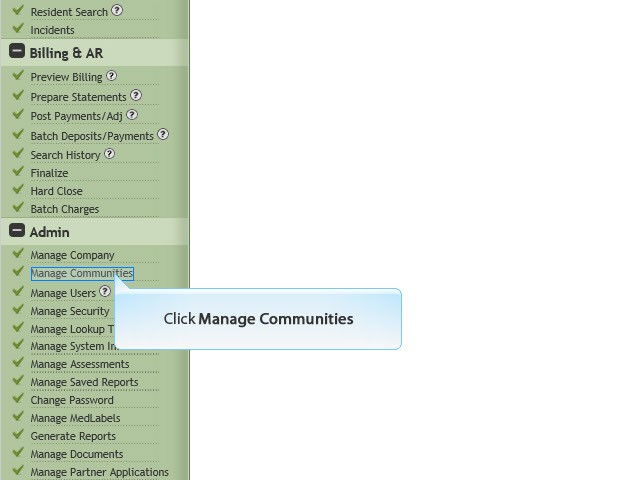
1 Click Manage Communities
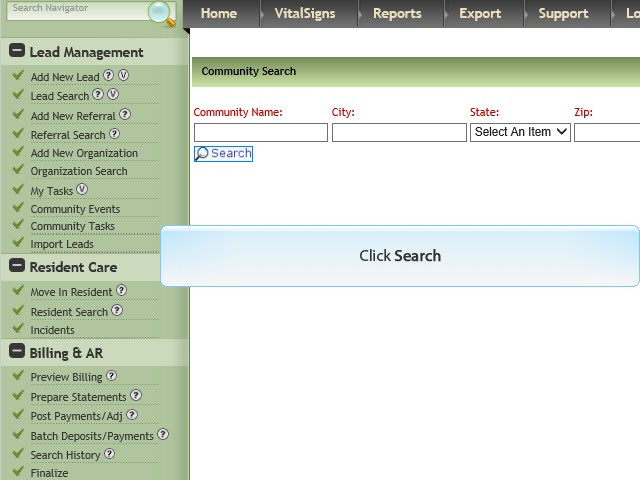
2 Click Search
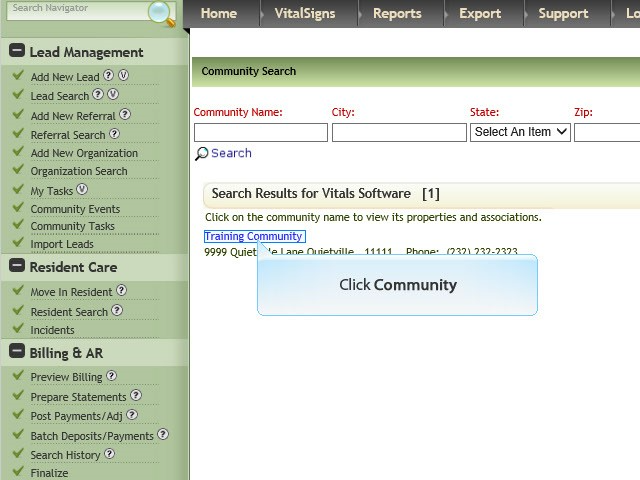
3 Click Community
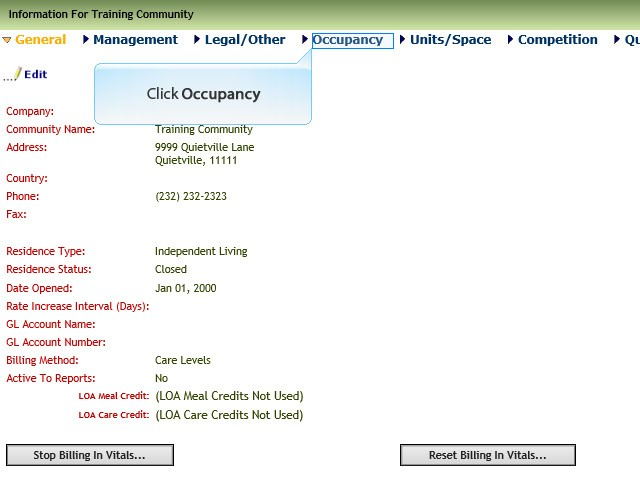
4 Click Occupancy
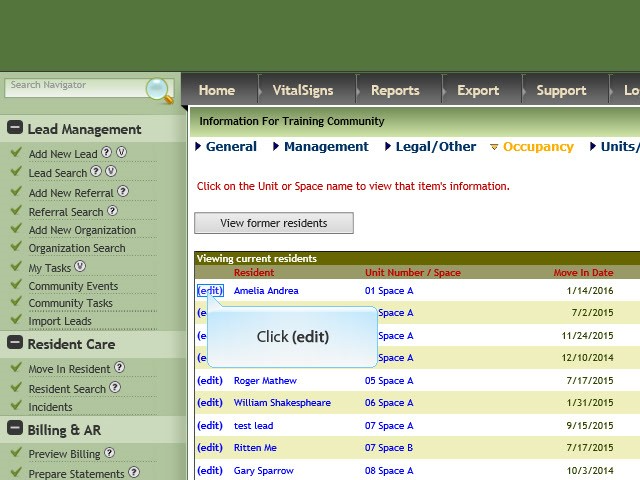
5 Click Edit adjacent to resident’s name
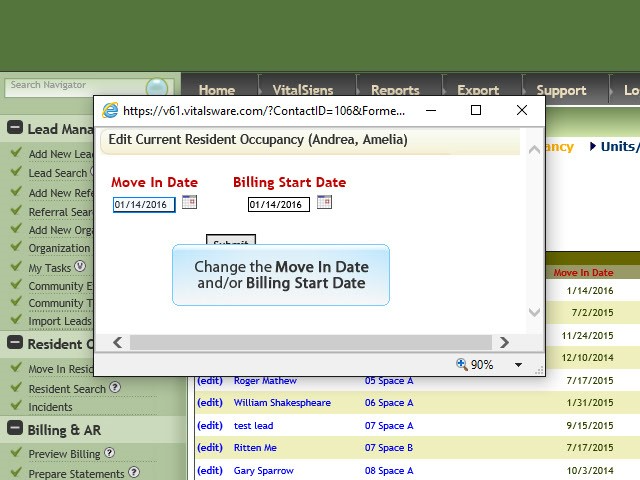
6 Change Move In Date and / or Billing Start Date
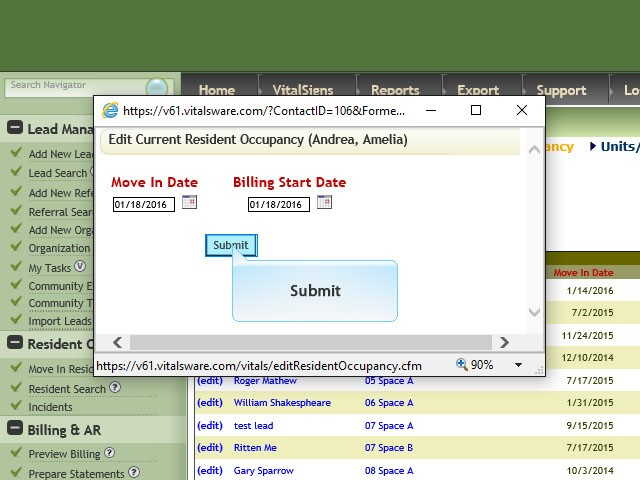
7 Click Submit
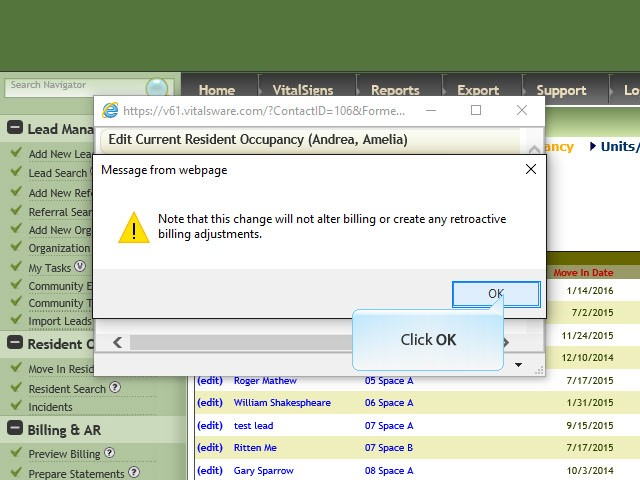
8 Note: If the initial prebill has been completed prior to making this change the Billing Office Manager or the person responsible for billing at your community will need to make manual changes in Post Payments and Adjustments. If the prebill gives an error after this change notify support@vitalsware.com.
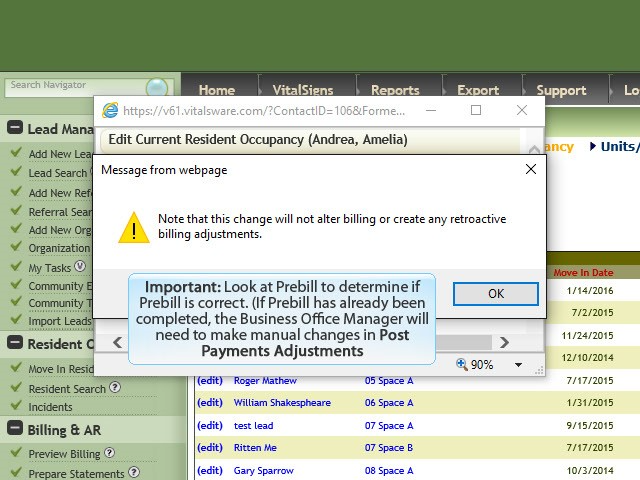
9 Click OK
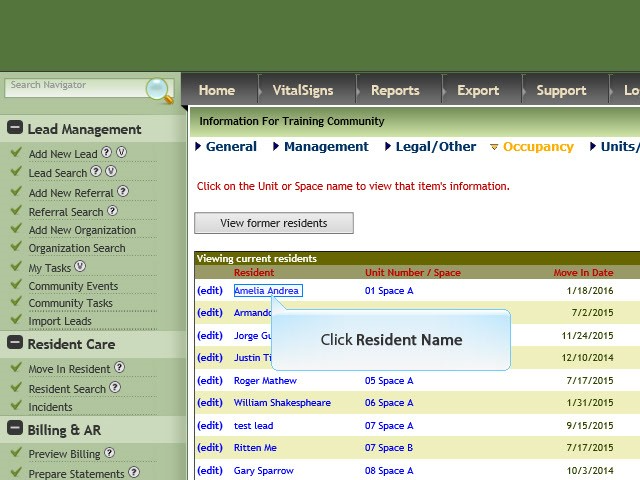
10 Click Resident Name
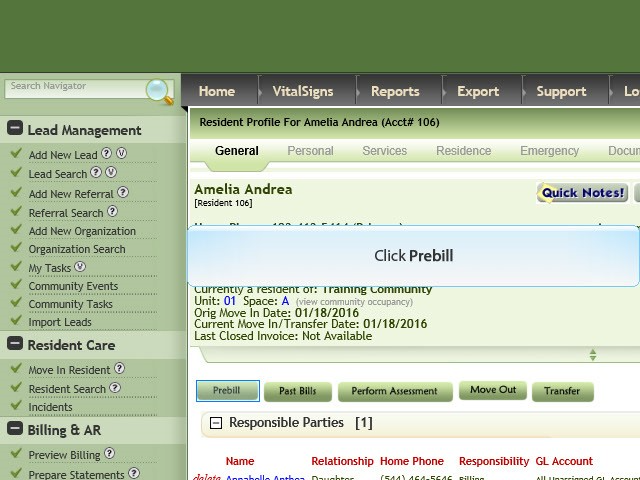
11 Click Prebill
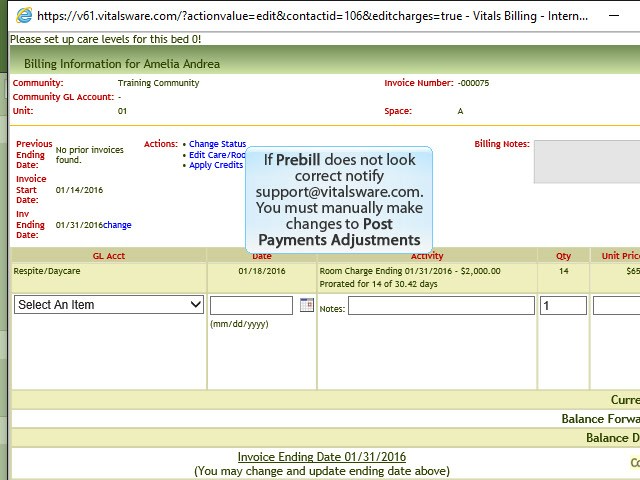
12 If Prebill displays error message notify support@vitalsware.com explain what actions you have taken and for which resident.
Note: If Prebill was completed prior to changing date check Post Payments and Adjustments and make manual adjustments as needed.
Was this article helpful?
That’s Great!
Thank you for your feedback
Sorry! We couldn't be helpful
Thank you for your feedback
Feedback sent
We appreciate your effort and will try to fix the article