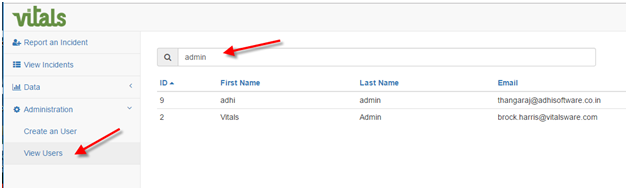
- Under the Administration section of Incident Tracking click View Users. Use the search tool to filter the user list and select user account you wish to configure.
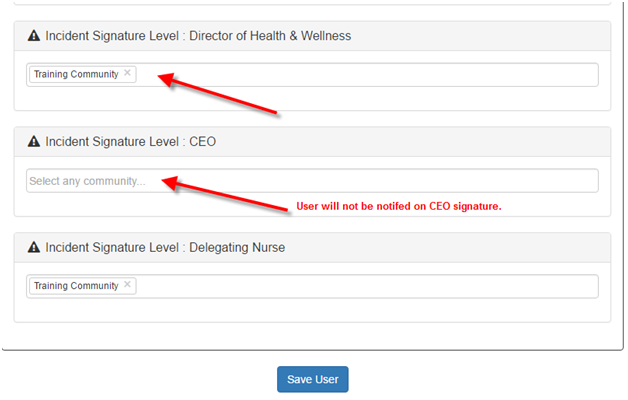
2. Add communities to the Signature level that you wish to receive alerts on. In this example the Vitals Admin will receive alerts for the Director of Health & Wellness role and Delegating Nurse role that occur in the Training Community. They will not receive CEO signature alerts because no building is configured. You may configure multiple buildings per user. The roll names used in this example are for illustration. The role names in your company configuration may vary from this.
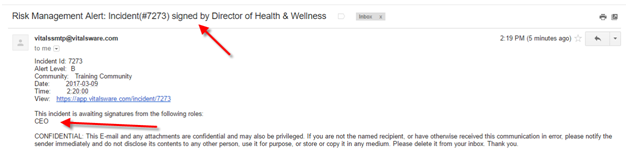
3. When various levels of signage occur the user will receive email notification with Incident details. The email will display which roles have yet to sign the incident.
Was this article helpful?
That’s Great!
Thank you for your feedback
Sorry! We couldn't be helpful
Thank you for your feedback
Feedback sent
We appreciate your effort and will try to fix the article